Register

Unlock 2026: The Great Restack

Learn More
Akeneo-Logo Akeneo-Logo

Product Information Management Software: 6 Ways it Can Improve Your Life

Product Experience

Product Information Management Software: 6 Ways it Can Improve Your Life

Are you an e-commerce merchant that is trapped in a spreadsheet nightmare? Do you struggle to maintain product information and present products across…

Product Information management softwareAre you an e-commerce merchant that is trapped in a spreadsheet nightmare? Do you struggle to maintain product information and present products across different platforms? Does it take you weeks or months to update your system only to have to update it again the second you are finished? Most importantly, are all of these annoying tasks taking you away from your other job duties? Have no fear, utilizing product information management software (PIM) can significantly simplify your life.

Abandon your cumbersome and confusing spreadsheets for product information management software!

How using PIM can change your life:

1. Centralize your data.

Many merchants struggle to keep their product information up to date and consistent across all platforms. Data quality issues make trying to list products across multiple channels a nightmare. Using product information management software, you can easily centralize all of your product data in one location. There is no need to continue stressing about spreadsheets or the different formats of the various e-commerce platforms. All of your product data is in one place.

Centralize your product data.

2. Streamline your workflow.

Many companies have trouble maintaining product information across every spreadsheet in every department. A significant amount of time is spent updating SKUs because of spec changes, new products or a variety of other reasons. Using product information management software program simplifies this process. Utilizing a PIM allows you and your team to spend more time on strategic merchandizing duties rather than constantly making mundane product updates. Updating product information within the system will ensure that all channels are synced with the same information.

3. Data quality is consistent.

Maintaining data quality can be difficult especially when information is constantly getting changed/updated. It can be challenging to bring together data from suppliers and new merchandise, while also keeping track of varying data requirements for each e-commerce channel. Unfortunately, Excel doesn’t have the robust tools to handle data in this way because it is simply not designed for it. Akeneo PIM includes a data completeness widget to make maintaining data quality a breeze. This tool allows you to see what data is missing or incomplete for every product. Now, there is no reason products should be pushed to market with incomplete descriptions or missing information. Akeneo makes sure your products always look their best.

Data completeness widgets make sure your products look good on every platform.

4. Expanding your product catalog is easier.

When your product information management is a mess, it can be a daunting task to even consider adding new products or locations … because every new product family, channel or localization axis creates exponential complexity in keeping all product data up-to-date. As a result, expansion plans can be curtailed. Using product information management software each product has its own data page and can be sorted based on your preferences. Employees can put data in appropriate sections, as well as add descriptions and other media. Having all of your products supplied with correct data means they are ready for market as soon as possible. As a result, it becomes much easier to support additional products or locations.

5. Supplier data is no longer a pain.

Suppliers don’t sell directly to customers, so the information they provide tends to be minimal and/or not-customer-ready. There is also a good chance that the data they provide is inconsistent with your company standards. It’s your responsibility to maintain consistency within your listings to ensure customers understand exactly what they are purchasing. With Akeneo, suppliers on-board easily into the product information management system and can populate updated product data automatically. No more spreadsheets. No more cutting and pasting. No more outdated product data.

6. Export product data across multiple channels

As a large e-commerce distributor it can be difficult to ensure that every product on every channel is complete with descriptions, images, and other necessary information. Akeneo provides multiple connectors to make exporting easy. Your products can be exported to any e-commerce platform. Akeneo only exports the information relevant for each platform. This ensures that products are displayed with correct prices, measurements, colors, and other details.

Present your products across all e-commerce platforms easily.

Your Life: Simplified.

Akeneo’s product information management software eliminates many of the tedious tasks that make maintaining your e-commerce catalog a pain. Centralized data and handy completion widgets make maintaining your product information simple. You can finally feel confident that regardless of the platform, your products will look great. Your time can be spent doing your actual job rather than maintaining spreadsheets and updating SKUs. And, with Akeneo’s data import and supplier on-boarding tools, making the change from messy Excel Hell to PIM has never been easier. Want to see if Akeneo’s product information management software is right for you? Sign up for a demo and one of our Akeneo architects will take you through a guided tour.

Translation and Localization: Simplified with PIM

Product Experience

Translation and Localization: Simplified with PIM

Translation and localization are both crucial for expanding to new markets in e-commerce. Ensuring that your product descriptions are translated corre…

Translation and localization are both crucial for expanding to new markets in e-commerce. Ensuring that your product descriptions are translated correctly and localized with proper multi-media elements is critical to getting sales. Doing translation and localization manually can be a huge pain. Making sure descriptions are correct for each and every market can be extremely time-consuming, but using product information management (PIM) software can simplify that process.
translation-localization-localization

Translation and localization are easy with the use of product information management (PIM) software.

Localization

Localization is the process of adapting product information for every market you’re selling in. This includes changing the languages, currencies, payments, measurements etc. of products to reflect the market. By utilizing PIM, the localization process can be simplified, however, it is important to adapt your company’s operations to streamline this process. A localization team should be set up that includes internal and external support employees to ensure that your product information is accurate and updated. The 5 Steps of Product Localization: 1. Translate the product description 2. Modify multimedia content for the appropriate market (models, photos, videos, etc.) 3. Translate/convert weights, sizes, measurement, prices, etc. 4. Optimize for local SEO 5. Ensure that pricing, taxes, and return policies meet local standards/regulations Your localization team should have both internal and external employees. Internal employees should include a project leader or manager who understands the company brand or style. This person provides guidelines and new content to be localized by the external team. In contrast, the external team should be a group of strong translators, lead by a supervisor who oversees that translation projects are completed in an efficient manner. You can even increase revenue and decrease returns by localizing product information. By completing this process for every product, customers will have a clearer understanding of what they are ordering. In e-commerce return rates can be as high as 50%, with up to 8.1% of sales being spent on reverse logistics when customers return items. By reducing confusion and disappointment, customers receive the correct products with their desired specifications (size, color, etc.), which results in fewer returns and increased revenue.

Increase revenue and decrease returns by localizing product information.

Translation

Translation is an inherent part of the localization process. In order for product information to be localized, it needs to be in the native language of the market. This may seem simple, but creating accurate product description translations is more complicated than people think.

Translation is more than just transferring from one language to another, translations need to have the proper “voice” for product descriptions to be clear.

Translation can be completed through the use of two types of translations, human or machine translations. Human translations are ideal, they have better “voice”, which ultimately results in a higher conversion rate. Unfortunately, manual translations can be difficult to integrate with other product information, take a long time, and are expensive. In contrast, machine translations are cheap, fast, and can be integrated easily, but they usually have bad accuracy and “voice” and therefore, low conversion rates. So what is the solution? Ideally, you want a hybrid of manual and machine translations. The best meshing of these translators use machine computer pattern recognition in conjunction with manual translators who can utilize automated workflows.

Ideally, you want a combination of manual and machine translations to speed up the translation process and ensure proper brand “voice.”

As mentioned before, part of creating your external localization team includes finding qualified translators, who have experience within your specific e-commerce industry (beauty, tech accessories, etc.). Most importantly, the translators must also understand and adapt to your brand’s voice and style. These individuals will be able to take your product translations to the next level, rather than getting stuck with machine-only translations.  
translation-localization-benefits

The Benefits of Using PIM for Translation and Localization

Managing product information is a major pain point, and every new market becomes another translation and localization project. However, there are two major benefits to utilizing PIM that make this process much easier.
  • Simplify the process: By using PIM you can select only the specific fields that need to be changed for localization. Common attributes can be transferred over and then exported to your various marketplace and e-commerce platforms.
  • Organized workflow: With a customized PIM solution, teams distributed around the globe can work together smoothly and easily. By organizing the workflow, e-commerce merchants can increase the speed of localization and translation, so that your products can get to market faster.

Akeneo PIM makes translation and localization easy by simplifying the entire process and organizing the workflow.

Akeneo PIM

With Akeneo PIM you have all the tools to make translation and localization changes easily. From streamlined workflows for your entire global enterprise to integrated translation tools, Akeneo PIM has all of your bases covered. The cumulative benefits of simplified processes, reduced returns, and an organized workflow makes it easy for your e-commerce brand to continue to expand to more locations and channels. Without PIM, this growth would become a nightmare, but with Akeneo PIM it’s easy. You can be sure that your product information is accurate, and up to date for all of your locations, all the time. Want to learn more about Akeneo’s translation and localization capabilities? • Contact us • Get a FREE demo orDownload our eBook on localization and translation for e-commerce companies.

Akeneo Cloud Edition: Get Ready!

Product Experience

Akeneo Cloud Edition: Get Ready!

During the 2016 Akeneo Partner Summit, we introduced our partners to a new product offering that we have been working on for many months and that is p…

During the 2016 Akeneo Partner Summit, we introduced our partners to a new product offering that we have been working on for many months and that is particularly dear to us: Akeneo Cloud Edition.

When we launched the first beta of Akeneo PIM at the end of 2013, we did so with the strong belief that product data would become a key asset in the deployment of a multichannel strategy, and that marketing teams needed a tool to enable them to regain control over data.

But not just any tool.

They needed a modern, open and simple tool that was:

  • Simple to learn and use every day: Team productivity and data quality are closely tied to the usability of the tool manipulating your data.
  • Simple to customize: Each catalog is unique. Regardless of the number of products, attributes and variations in a catalog, the PIM tool should adapt without requiring systematic development at every change or enrichment of the data model.
  • Simple to connect: A PIM tool is a data hub. By itself, it is useless. It needs to be able to easily exchange data with systems surrounding it.

We worked on this concept of simplicity for the last 3 years. And with over 2 new installations of Akeneo PIM every hour worldwide, we believe that we are on the right track!

However, by interacting with our customers and partners, we realized we still could bring still more simplicity to additional areas:

  • While our technical environment is actually quite standard (LAMP platform), it is still difficult for some of our customers and partners to completely overcome the challenges related to the underlying infrastructure: application server, database, cache, etc.
  • Some of our users don’t customize Akeneo very much or at all. They wish they could easily update Akeneo without going through specific upgrade procedures.

To address these recurring requests, we are presenting today Akeneo Cloud Edition: A release offering the same features as Akeneo Enterprise Edition, but fully hosted and managed by our teams in a hyper-streamlined environment. This simplified environment will allow product teams to focus on what’s essential: Products.

This is not just a simple offering to host the Akeneo solution in the cloud. Akeneo Cloud Edition will enable customers to switch between two modes at any time:

  • Serenity mode is designed for users who do not require advanced customization. They can use Akeneo with the same benefits as those offered by a SaaS solution (with transparent and automatic updates) while still benefiting from the contributions of our ecosystem (extensions in the Marketplace).
  • Advanced mode enables the most demanding users to customize Akeneo with the same level of granularity and freedom as the on-site version of Akeneo Enterprise Edition, but without any of the challenges associated with a technical infrastructure.

This is the real innovation of Akeneo Cloud Edition: Being able to choose between the simplicity of a SaaS solution and the flexibility of a PaaS solution at any time!

And to help all of you benefit from Akeneo Cloud Edition in Serenity mode, we are currently working on a new web API that will support the addition of more connectors for any third-party technology. It will be available in all editions of Akeneo (Community, Enterprise and Cloud), version 1.7 and above.

And since we’re talking about the product roadmap, we are pleased to announce that Akeneo Cloud Edition Advanced mode is already in use by some of our customers, and will be available to all in March 2017. Serenity mode will be available in September 2017.

sc

We sometimes hear that it is impossible to combine the scalability of an open source solution with the peace of mind provided by a SaaS solution. However, we strongly believe the two are compatible. We’re particularly excited about this new edition because Akeneo Cloud Edition is the first PIM offering the best of both worlds: The only Open SaaS PIM.

In the coming weeks, we will continue to publish a series of articles providing technical and functional details about this new edition. We may even have a few more surprises in store for you! Stay tuned…


Catalog Management Software: The Ultimate Black Friday Life Saver

Product Experience

Catalog Management Software: The Ultimate Black Friday Life Saver

It’s the most wonderful time of the year…The holidays are a wonderful time of year, and for e-commerce, this includes the biggest shopping days of…

It’s the most wonderful time of the year…

catalog management software
The holidays are a wonderful time of year, and for e-commerce, this includes the biggest shopping days of the year – Black Friday and Cyber Monday. Of course, there are plenty of other things to look forward to during the holidays like ice skating or spending time with family, but if you’re still managing your product information in spreadsheets, you’re not going to have time for any of those things. Black Friday and Cyber Monday generate a tremendous amount of revenue for retailers. Just last year shoppers spent a total of $4.45 billion between Thanksgiving Day and Black Friday. Cyber Monday also held its own hitting a new record of $3.07 billion in sales, a 16% increase from 2014. Overall online shopping during the holiday season (November and December) is as popular as ever, with last year’s sales totaling $70.1 billion, a 14% increase from the previous year. It doesn’t look like things will be slowing down in 2016 either.

In 2015, online sales totaled $70.1 billion during the holiday season, a 14% increase from 2014.

With all of the price changes, available discounts, and special holiday products getting added to your catalog during the holiday shopping season, there are not enough hours in a day to maintain and update all those spreadsheets – you’re going to need catalog management software.

Simplify Your Workflow with Catalog Management Software

A PIM software – product information management – can simplify your workflow and help manage all of your catalog changes for Black Friday regardless of the channel, platform, or location you’re publishing to. The PIM enables you to enrich product data and change only the information that needs to be changed while ensuring that all other data remains the same. This control is crucial when you’re looking to update media, pricing, or any other information for the holidays.

Manage all of your product information easily with a catalog management software.

Manage your product catalog in 5 steps:

1. Import data

Transferring from your spreadsheet mess to Akeneo PIM is easy, so you don’t have to worry about losing all the product information you already have, you can import Excel and >CSV files directly into the system. Automatically import information from your ERP and supplier systems as well, making it just that much easier to manage all of your products.

2. Organize and classify

Before, you may have felt constrained by being forced to organize your product information around SKUs or manufacturers, which can feel unnatural and inconvenient. With catalog management software you can organize and classify your products into groups and families that make sense to you.

3. Enrich, edit, and translate

With catalog management software, you have the ability to edit all product information easily. From enriching product data, to editing product media, and translating descriptions for various locations, catalog management software makes it easy. Akeneo even has a TextMaster and other plugins that provide easy access to translation services, ensuring that your product descriptions are always quickly and accurately translated before publication in localized markets.

4. Optimize workflow and quality checks

Akeneo’s PIM allows multiple contributors and includes a completion widget, providing the team with an easy insight of what product information still needs to be updated or completed. The widget and automatic completion checks allow your team to optimize workflow and ensure that all of your products have complete data and look great on all of your platforms.

5. Export

That’s it! With all of your product information enriched and all of your information continuously getting imported into the system, you can be sure that your products look great, no matter where your customers are purchasing them. With tools to optimize for every channel, platform, and location you can easily handle all of your holiday products.

Get ready for next year!

Unfortunately, it is too late to get your PIM up and running for this Black Friday or Cyber Monday, but there is no reason to wait until next year. Implementing PIM will allow you to handle last minute pricing changes, product features, and marketing needs and still be on time for dinner with friends. Be prepared with product information that is enriched and translated for all of your platforms before the chaotic season even starts. Plus, with Akeneo PIM’s proven success at increasing productivity by 50%, you can take your extra time to grow your business in time for next year. Ready to deck the halls instead of spending your time managing product information? Get ahead of the game for the next holiday season by setting up your catalog management software today! Sign up to get a demo with one of our Akeneo partners.

Automating Product Information Management: 6 steps to productivity

Product Experience

Automating Product Information Management: 6 steps to productivity

Like many labor-intensive processes, maintaining great product information can be greatly improved by automating as many portions of the process as po…

Like many labor-intensive processes, maintaining great product information can be greatly improved by automating as many portions of the process as possible.

Should you be automating your product information?

To answer this, just ask yourself one simple question: Do I repetitively cut and paste into documents or upload spreadsheets on a regular basis when updating or enriching product information? If your answer is “yes,” then you could save time by automating at least some parts of your product information process.

How to automate product information:

Step 1: Ditch your spreadsheets. Use a Product Information Manager instead.

Spreadsheets are wonderful general-purpose tools that are good for a great many things. However, keeping your product catalogs up to date with the latest product information is not one of them. Still attached to Excel? Check out this blog post on why spreadsheets suck for e-commerce catalog management. So, please, ditch your collection of spreadsheets for a purpose-built tool: a product information management (PIM) solution. Excel just wasn’t built for managing product information in an efficient manner. There’s also no good way to automate your processes and stop cutting and pasting if you can’t let go of spreadsheets as your primary tool.

Step 2: Connect your data sources

A key feature of any good PIM is its ability to connect to: your ERP, suppliers’ data sources, media servers, custom internal data sources, and, yes, even to import the various spreadsheets that get sent your way. Work with your IT team to integrate each of these sources with your PIM. Depending on what you’re integrating, and the PIM solution you’ve chosen, this may be plug-and-play, or it may be more challenging. If your IT department doesn’t have the resources available, consider working with a specialized integrator. For instance, Akeneo integrators can quickly get virtually any configuration of inputs and outputs working with Akeneo.

Does reading the words “work with your IT team” give you a headache? Consider working with a PIM implementation team.

Once the basic plumbing is done, figure out how often each of these sources needs to be updated and work with your IT team to have your PIM suck the updated information in, on a regular basis. This integration effort represents a not-inconsequential investment in resources, but the payoff is tremendous. You’ll never cut and paste again. And your time spent with Excel and CSV files will be limited to uploading them into your PIM (and this can generally be automated as well).

Step 3: Enrich and update your product information

As a catalog, product, or ecommerce manager, this is what your team should be focused on. And, now, thanks to magic of automation, you can:
  • Keep products’ information up to date.
  • Show colors, sizes, and specs.
  • Enrich product file with photos, videos, and other media.
  • Customize the information of your products per channel or country
And this can all be done without cutting and pasting. Automation will make your work here more productive as well.
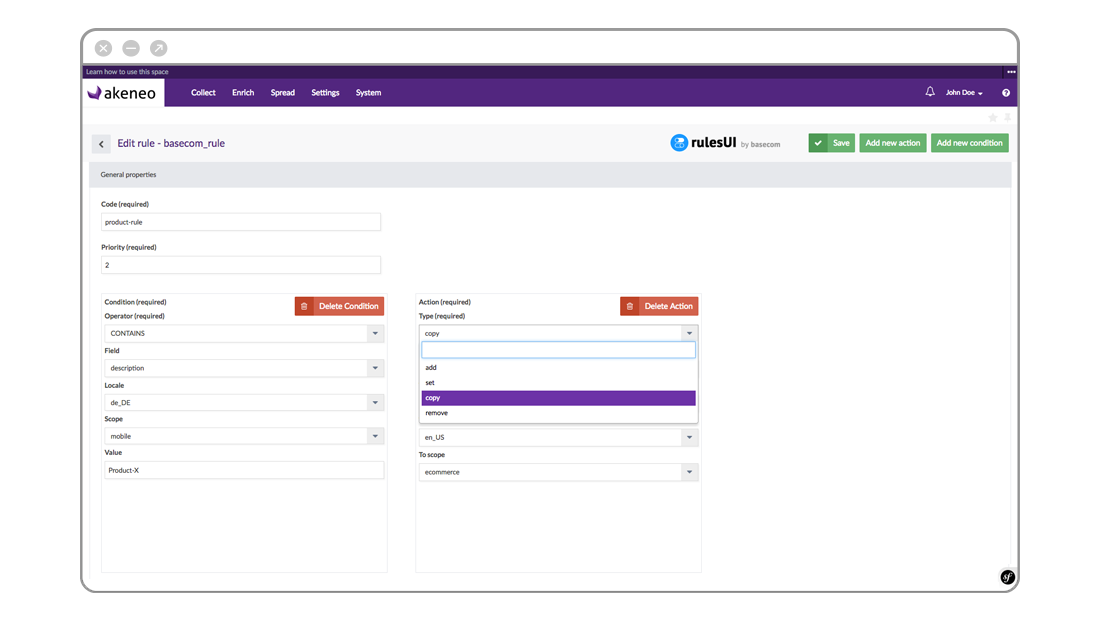
Define rules to classify new products automatically With clearly defined product categories, you can set up automation rules to classify your products into the right categories and easily enrich product information by adding values directly to the product.
AUTOMATE YOUR PRODUCT CLASSIFICATION AND IMPORTS
Carry over product information across related SKUs For instance, you can define a product structure that will allow you to manage common information without having to touch each SKU. So, for instance, every size and color of a specific T-shirt will carry identical product information EXCEPT for those fields that should change. You can set up similar automation rules across language descriptions (for instance, automatically bringing across specs that don’t change across languages), while ensuring that your English language product descriptions don’t accidentally Deutsch sprechen. Setup Editor/Publisher Workflow Let’s face it. Not everything can be automated. There’s still a lot of grunt-work involved in keeping your product catalog as current and compelling as possible. Therefore, it’s useful to be able to parcel out and delegate mundane or specialized tasks across teams. But someone still needs to provide final approvals before publishing. That’s where automated workflow can make your job a lot easier. Here’s how it works: Delegate a task such as translation, product description enrichment, uploading photos or videos, or other specific tasks. This can be outsourced to a separate firm, freelance workers, or just down the hall. The specialized teams will make their changes in a draft environment and automatically notify you when the updates are ready for approval. You (or another manager with publishing permissions) review their work and indicate any changes needed, or mark it as ready for production once you are satisfied.
A GOOD WORKFLOW ENABLES DELEGATION.
WITH A GOOD PIM, YOU CAN EVEN COMPLETELY REVERT TO PREVIOUS VERSIONS.

Step 4: Automate quality control

One of the great things about a good PIM is that it can automatically detect if every required field in every product record has been filled out, which prevents incomplete records from being published. No more uploading incomplete product information!
IMMEDIATELY SPOT MISSING DESCRIPTIONS, IMAGES, AND TRANSLATIONS.

Step 5: Automatically publish different versions for different channels, platforms, and locations

Of course, the whole point of managing your product information is to give your prospective customers the most complete, accurate, and compelling product information possible – no matter where they are looking. That means pushing slightly different product information for different channels, platforms, and geographies. Without automation, every new outlet, platform, or location becomes a huge pain point and often results in wasted time, versioning problems, and huge headaches. However, with a little work, you can set up your PIM to automatically export different versions for the various consumers of your products’ information that automatically take into consideration differences in:
    • Languages
    • Measurements
    • Formats, descriptions and media for different channels like ecommerce, print, and point of sale

Akeneo has easy-to-use connectors for Magento, Prestashop, Mirakl, Shopware, print catalogs, and more.

In addition to exporting to different store fronts and ecommerce platforms through connectors and plug-ins, Akeneo includes an export builder that allows you to create reports showing the status of all of your product information. Create tailored reports for suppliers, translators, and purchase teams. Much like setting up your import integration, you may need some help from your IT or an outside consultant in setting up a complex export configuration.

Step 6: Focus on your real job

The best part of automation is that it allows you and your team to focus on your real job: effective merchandizing to increase sales.

Convinced that you need a PIM?

Take a tour of the Akeneo PIM to get a visceral sense of some of the possibilities of automation for your organization. Remember, Akeneo is open source, so it’s free to get started.

Setting up your PIM: Organizing Product Information

Product Experience

Setting up your PIM: Organizing Product Information

So you want to kill your spreadsheets and jump on the PIM bandwagon. You’re ready to increase your product information efficiency by 50% and see con…

So you want to kill your spreadsheets and jump on the PIM bandwagon. You’re ready to increase your product information efficiency by 50% and see conversion increases of up to 4X.
Good for you! But what are the first steps? Setting up a PIM system can be intimidating; luckily we’ve set up thousands so we can help you tackle it in the right manner. The most important thing to keep in mind is to integrate PIM into your current or ideal workflow. In our experience, if you try to adapt your workflow to match the requirements of your PIM, rather than the other way around, you will fail due to user adoption problems. PIM should serve your people, not the other way around!

Build out your PIM to match your ideal workflow… don’t try to bend your workflow to match your PIM or stick to antiquated workflows imposed by the constraints of spreadsheets.

Our customers are often surprised at how many improvements in workflow that they can achieve with the additional flexibility that PIM enables. PIM can be a catalyst for revolutionary changes in efficiency that pave the way for additional product lines, geographic regions, and marketing channels.

Automating sources of information

Start off by evaluating your sources of product information. Are they coming from an ERP? Customer databases? Emailed spreadsheets? Next, take the time to automate this flow of information directly into your PIM. A good PIM solution should have open connectors to hook into any source of information. For instance, Akeneo has a marketplace of pre-existing connectors for many ERPs, databases, and CSV and Excel spreadsheets. What’s more, with Akeneo’s open APIs, our thriving ecosystem of integrators is able to create custom connectors to virtually any product information source. Don’t waste your team’s time with manually exporting information from product data sources to spreadsheets and then importing them again into your PIM. This creates a huge pain point of human error and outdated data.

Kill your spreadsheets and improve efficiency. Don’t take half-measures. Automate ALL your product data sources.

Group SKUs into models

Every SKU in your catalog is unique but oftentimes they also have many commonalities. For instance, some SKUs may have largely similar product names, descriptions, specifications, and other commonalities but with different variations such as color, size, etc. If you group such SKUs into models then you can then enrich the common attributes at the upper level instead of managing each SKU, and take other bulk actions like enabling/disabling, deleting, etc. at this level too. Think about an organization that allows for a logical and efficient product enrichment flow across the variations. Optimize this organization around your product information enrichment process.
Organize Product Information

Localization is much more efficient with PIM

A product or SKU will have many elements that don’t vary across every, or any, localization. So, for instance, the product description may need to be translated but the product specs might not. Likewise, product images may not need to change from region to region. Specify which fields need to be updated for each product and for each localization. This allows you to maximize automation by carrying over common attributes and details while still ensuring Quality Control by tracking which fields have been localized and which remain to be modified.

Marketing channels should be separate as well

Just like localization, some fields will need to be updated for different channels (for instance 300 DPI photos for print versus 72 DPI for web) but many elements may remain the same across channels.

Enable team collaboration

Build out your PIM workflow with the team in mind. For instance, many teams have some team members that are responsible for data enrichment and others for approval and publication. Example of tasks that might be assigned to specialized workers include:
  • translations
  • product descriptions
  • uploading of photos or videos
Sometimes these tasks are done by separate companies, freelance workers, or just down the hall. Regardless of where they are located, you should setup your PIM so that these teams can make their changes in a staging environment and automatically notify management when the updates are ready for approval. Approvals or requests for changes can be made within the PIM and then published to the various marketing channels. There’s never a reason to leave the PIM. This maximizes efficiency and reduces the chances for publishing incomplete or erroneous product information. In fact, if your team feels the need for a separate task manager or emailed communication about the status of catalog completion, then you’re doing it wrong.

Resist the siren song of setting up a task manager!

Automate your exports

Just like you don’t want to be emailing and messing around with spreadsheets to import your information, you shouldn’t be exporting your data with spreadsheet either. Luckily, there’s no need. Akeneo has numerous off-the-shelf integrations with eCommerce platforms like Magento, Mirakl, Shopware, and PrestaShop– not to mention an InDesign plugin for the automatic creation of print catalogs. Plus, the deep ecosystem of integrators can easily setup an automated export process for custom systems.

Consider hiring an expert

The best PIM implementations are ones with a deep level of configuration. A consultant can help you setup your PIM quickly and efficiently. Consider hiring one of Akeneo’s many local partners (along with an Akeneo Consultant) to help you set up the most efficient PIM possible. Our experience in configuring all kind of PIM projects for product enrichment means that we can quickly optimize your PIM for maximum efficiency, quality, and revenue. We’ve also seen virtually very data source or output system you can imagine, so we can quickly integrate your ERP or publishing platform no matter what brand or level of customization.

How will you know that you have a good system?

Here’s how you know you’ve done a good job integrating your PIM into your workflow:
  • You never have to resort to cutting and pasting in spreadsheets
  • Your team relies upon the workflow and completeness meters within the PIM—not external checklists or task managers
If you take these steps, we guarantee that efficiency and quality will go up and that you won’t miss your spreadsheets at all. Want to know more? Take a test drive.

E-commerce Catalog Management: Spreadsheets suck but there is a better way!

Product Experience

E-commerce Catalog Management: Spreadsheets suck but there is a better way!

Still doing your e-commerce catalog management in spreadsheets? Spreadsheets are the most commonly used “e-commerce catalog management” tool out …

Still doing your e-commerce catalog management in spreadsheets? Spreadsheets are the most commonly used “e-commerce catalog management” tool out there. The only problem is that spreadsheets are terrible at catalog management.

Spreadsheets suck at many critical tasks

Here are just a few of the critical tasks that spreadsheets are bad at:
  • Dealing with multiple sources of information
  • Differentiating between mobile and desktop versions of media and product descriptions
  • Handling multiple languages and translations
  • Accommodating multiple contributors
  • Enforcing separate edit/approval/publish rights
  • Version control and content rollbacks
  • Staging new products and catalogs
  • Quality control
So why do so many people use spreadsheets for a job for which they are inherently badly designed?

It seemed easy.

Until you get started. Then most merchants quickly find themselves struggling with dozens of files, 20+ columns in every spreadsheet, and multiple tabs. Version control quickly becomes a problem and suddenly you’re dealing with outdated, incomplete, and incorrect product data being pushed to prospective customers.

Spreadsheets don’t scale well.

Hopefully, good things are happening for your company. Your team and product lines are growing. Distribution platforms and sales channels are proliferating. Products are constantly being updated. Those are all great things… Unless you’re trying to manage your e-commerce catalog management with spreadsheets. Then your life becomes a nightmare as you struggle to maintain compelling, complete, and up-to-date product information. This steals focus from your real job of merchandizing and marketing strategy.

There is a solution

The product category for e-commerce catalog management is generally referred to as product information management or PIM for short. PIM solves all the problems that spreadsheets don’t because they are custom-built for managing product information across websites, e-commerce platforms, print catalogs, e-commerce, points of sale, mobile applications, and more.

Want to know more? Take a tour with our online demo.

Discover how to increase:
  • Productivity by 50%
  • Data Quality by 30%
  • Revenue by 10%
Convert your collection of spreadsheets into a single definitive source of product information across every sales channel and in every language. Simplify your current chaotic workflow into one of simplicity and power: 1. Import your data Automatically import your data from any third party system including ERPS, spreadsheets, and your supplier’s systems. 2. Organize and classify Organize and classify your products however you want. Stop trying to organize your workflow around SKUs and use more logical product groupings instead. An easy GUI eliminates hundreds of useless columns. 3. Enrich, edit and translate Complete your product information, add rich media in any format, and translate just the descriptions that are needed. 4. Utilize built in workflow and quality checks Enable multiple contributors with edit/publish workflows and automated checks to ensure that all mandatory fields are always completed. 5. Publish your data Export all product data to any e-commerce platform, mobile application, print catalogs, or point of sale interface.

Take a tour with our online demo.

Managing product information is seamless and easy when you have a solution built for this purpose. Why settle for spreadsheets? Take a tour with our online demo or contact us to learn more.

An LDAP Authentication extension is now available on our Marketplace!

Akeneo News

An LDAP Authentication extension is now available on our Marketplace!

A new additional extension has landed into the Akeneo marketplace to allow PIM authentication against a LDAP server. For several companies, it is com…

A new additional extension has landed into the Akeneo marketplace to allow PIM authentication against a LDAP server.

For several companies, it is common to have centralized user credentials in a unique directory to simplify this credentials management.

The LDAP protocol is a widespread solution, especially with its Active Directory implementation for Windows.

This new extension will allow Akeneo users of the Enterprise Edition to authenticate against this LDAP directory instead of the internal PIM system. It is designed to work with both Windows Active Directory or Open LDAP.

User management modifications

The use of this module will imply some modifications in the users workflow. Here are the new conditions:

  • The user must exists in Akeneo PIM. It can be a user created before the installation of this extension, or users can be created with this extension already installed.
  • The username must exist in the LDAP directory, because the authentication is made with this username.
  • After this extension is installed, the “forgot your password” feature will not be available anymore because the password management is out of the PIM scope and will now be the responsibility of the LDAP system.
  • When an admin creates a new user with this extension enabled, he will not have to provide a password for the user, because this password is not in the PIM scope anymore.

This extension activation is totally transparent for the users and the login screen is the same than a plain vanilla Akeneo. The only difference is the disappearance of the “forgot your password” link.

Rescue user

A special rescue user can be used, usually the “admin” user of Akeneo. This user will not be authenticated against the LDAP but just with its PIM credentials. This way, you can always log in Akeneo even if the LDAP is down or not functional.

Uninstall

Users created prior to this module installation will get their original passwords back if this module is uninstalled. But all users created while it was active will need a password reset (the “forgot your password” link will re-appear), they will still be useable once they’ll have correct credentials.

If you are using an LDAP in your company, and you have Akeneo Enterprise Edition, don’t wait and have a look at this new extension now to ease your life. Our marketplace team is here to help you and answer your questions!

You can contact us at: [email protected]

Enjoy!

What systems do I need to fulfill my cross-channel strategy?

Product Experience

What systems do I need to fulfill my cross-channel strategy?

4 questions for Mathieu Jourdain, Head of e-commerce at NatalysSince 1953, Natalys has provided happiness for future and young parents from pregnancy …

4 questions for Mathieu Jourdain, Head of e-commerce at Natalys

Since 1953, Natalys has provided happiness for future and young parents from pregnancy to the third year of the child. The brand joined the Sergent Major group and launched its e-commerce website, Natalys.com, in 2009. The brand now embodies the example of a successful cross-channel strategy. From launching its marketplace to optimizing its product catalogue, Mathieu Jourdain, Head of e-commerce at Natalys, shows us the keys that made this long-standing retailer a shining example of successful cross-channel retailer. Natalys sells its products both in store and on the Natalys.com website. The entire catalog is available on the website and in store. The brand is even planning to launch a community website in the near future, dedicated to selling Natalys branded articles secondhand. This is innovation in action and a powerful driving force for fulfilling the needs of its customers, who are continually seeking more choice at the right price with a good quality of service, which the brand has been providing for almost 60 years now. How important is product information management to you? MJ: The quality of our product data is one of our primary concerns. It is crucial to have a standardized and centralized product database. We needed to have a collaborative and user-friendly system, that could be used and connected to every department: Purchasing, Logistics, photo shoots and web-merchandising. In other words, we needed a PIM (Product Information Management). It has even become an essential tool of our cross-channel strategy. What’s more, it did not take long for us to choose Akeneo, the leading open-source solution on the market. In addition to being easy to integrate and user-friendly, the solution was already being used by other brands of the group. The Akeneo PIM made it easily for us to standardize and control the quality of our product information.  
natalys
Why launch a marketplace now? MJ: The launch of our marketplace forms part of an overarching strategy, the objective of which is to innovate in order to fulfill the needs of our customers and boost our growth. Nowadays, in order to play a leading role in a given sector, one must be in a position to offer a broad choice to our ever more demanding customers. The marketplace provides a solution to the problem of catalog expansion, so that the Natalys teams can react to customer demands much more quickly. In our opinion, it is much less complicated and less risky to bring in a new supplier or a new category of products using the marketplace than listing it on our standard website. This strengthens our position as a specialist with a greater product depth, while also offering a long tail of related products that can appeal to our customers. We chose Mirakl because it is the leading, most comprehensive solution on the market, giving us access to all the functionality needed to operate our marketplace quickly and successfully. Mirakl’s strength lies in the support provided by its teams throughout the project and after its launch.  In order to fulfill the expectations of Natalys’s customers, you decided to launch a marketplace grounded in robust management of product data. What are you expecting to gain from it? MJ: Within 3 years, the Natalys marketplace will represent at least 30 % of our sales and will be completely cross-channel. Natalys’s objective is to have all of the Natalys and Marketplace product data stored in a single database so that each department can modify and add to the data of the partner sellers. As a result, when our customers are browsing our website, there will be no noticeable difference between a product sold and shipped by Natalys, and that of a partner seller. Standardized data also helps to improve the user experience, ensuring a remarkable end-to-end shopping experience. In addition to this, we have many objectives for further development with the aim of improving our growth. For instance, we are seeking to expand the Services and Young Creator aspects as well as the sale of secondhand products through the Natalys community. The international segment will also contribute to our growth, and the marketplace is a very powerful tool for growing a local presence. In your opinion, what are the key factors of success of your cross-channel strategy? MJ: First off, we need to know how to drive change within our business. There will always be some internal resistance when innovative projects are put on the table. In our case, this change was put forward directly by management. The chairman and managing director as well as the brand manager played a significant role in developing the strategy and overall approach, which was instrumental in facilitating its deployment internally.  The Marketplace project also helped breathe new life into our teams, both at headquarters and in stores. In this type of project, the need to tackle many “political” obstacles is always to be expected. The change is significant and operational conventions, which have been established over long periods of time, are being more or less broken. The cross-channel strategy must be supported by all teams at headquarters as well as in stores. To achieve this, all the stakeholders must be involved from the very beginning of the project and at every step, whether it is during the analysis phase regarding the choice of the system, or the integration phase and the decision on whether to favor a gradual deployment of the project or in big-bang mode. Secondly, connectivity is essential within the framework of a cross-channel project. Today, it is better to opt for tried and tested technologies and specialists in their domain, who will help create connections with the entire ecosystem. Mirakl and Akeneo are two leading recognized solutions that have developed a common connector that can be used to integrate them easily. The decision to select these solutions was all the more obvious for us because of that.

“The common trait between Mirakl and Akeneo? Two flexible solutions that are easy to integrate!”

Mathieu Jourdain

Five good reasons to adopt a PIM system prior to your e-commerce project – Reason #5

Product Experience

Five good reasons to adopt a PIM system prior to your e-commerce project – Reason #5

PIM (Product Information Management) is still a nebulous concept for a lot of people. And it’s sometime difficult to understand why a dedicated tool…

PIM (Product Information Management) is still a nebulous concept for a lot of people. And it’s sometime difficult to understand why a dedicated tool is needed for catalog management. Here are five good reasons to think about PIM before starting your e-commerce project.

Reason #5 – Earlier is cheaper

Of course it’s never too late to implement a PIM system. But the required amount of work will be far more significant, as you will need to do some reverse engineering to adapt the system to what has already be done.

And today, thanks to open source alternatives like Akeneo, integrating a PIM is no longer a complex / expensive / time consuming project. Starting your PIM journey with a first channel like an e-commerce website will help you have a cross channel approach from day one and will save you a lot of concerns related to archaic tools / processes.

Ready to start?

Contact Us Now!

  _  

<<  Reason #4 – Prepare your multichannel future