As product operations grow more complex, one-size-fits-all workflows start to break down. In this blog, we’re breaking down Custom Components, which are Akeneo’s most powerful new extension type that are designed to help teams tailor the PIM interface to their unique roles, processes, and business needs. Learn how Custom Components make it possible to build native, secure, and role-aware experiences directly inside Akeneo, reduce tool switching, and unlock more value from your product data, without compromising governance or usability.

Table of Contents
Keywords
Every team starts with good intentions.
You configure your Product Information Management (PIM) system, set up workflows, assign roles, and everything runs smoothly. But as your business grows, things change. New roles appear. Processes evolve. And suddenly, the standard interface no longer reflects how people actually work.
That’s the moment Custom Components were built for.
Launched as part of Akeneo’s Winter Release, Custom Components give customers and partners a powerful new way to extend the Akeneo PIM interface without breaking governance, compromising security, or waiting for core product changes. They let you shape the PIM around real workflows, real roles, and real business needs.
Custom Components are the most powerful extension type within Akeneo’s Extension Framework. They are self-contained JavaScript applications built using the Akeneo Extension SDK and run securely inside the PIM.
Unlike traditional customizations or external tools, Custom Components:
This means teams can build rich, interactive experiences, such as dashboards, data visualizations, guided workflows, or integrations with other systems, without pulling users out of the PIM or creating fragile workarounds.
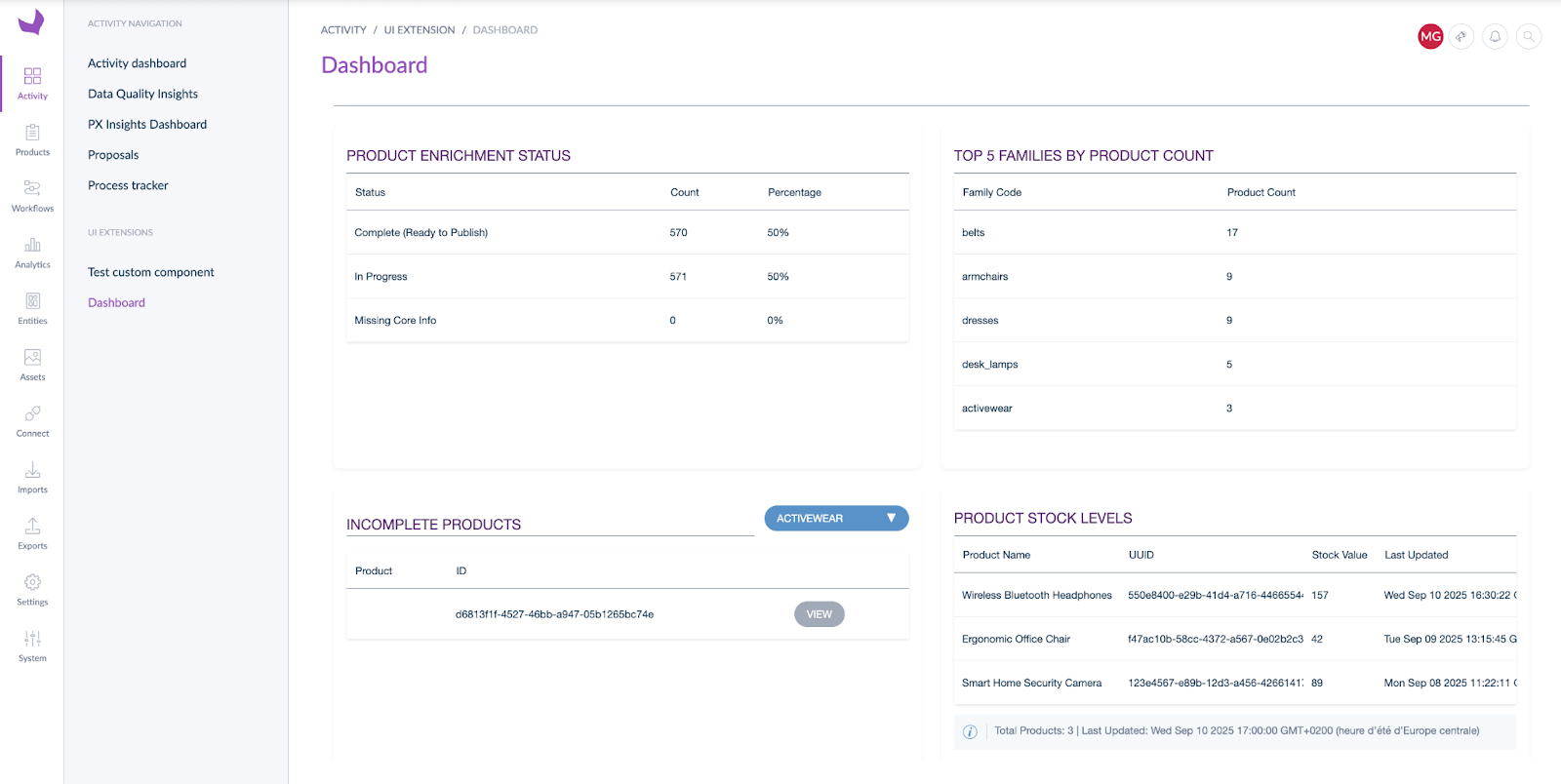
Most teams eventually outgrow standard configuration.
At first, configuration works well. But over time, cracks appear. The UI no longer matches daily workflows. Different roles need different views. Teams need visibility into data from other systems, but switching tools slows everything down.
When every request turns into “Can this go on the roadmap?” or “Can we hack around this?”, productivity suffers.
Custom Components allow teams to extend the Akeneo UI where it matters most, without touching the core product or creating technical debt. The result is a more flexible platform that adapts to your business, not the other way around.
No two teams work the same way. And your product platform shouldn’t force them to.
Custom Components allow companies to build purpose-driven interfaces directly inside Akeneo. You can embed external data, apply industry-specific logic, and surface the right information at the right time, all within the PIM context.
This enables:
Modern product workflows rarely live in a single system.
With Custom Components, teams can integrate data from external systems such as Enterprise Resource Planning (ERP) platforms, Digital Asset Management (DAM) systems, or other business tools via APIs, and bring that data directly into the PIM experience.
This allows teams to:
all while maintaining secure access and consistent permissions.
Custom Components unlock a wide range of high-value use cases, including:
These are the types of capabilities customers consistently ask for and now they can be delivered faster, with less risk, and without compromising the Akeneo user experience.
Custom Components deepen Akeneo’s role as the central hub for connected product experiences.
They give customers and partners the freedom to build tailored UI experiences that match how their business actually operates, without sacrificing security, governance, or usability.
By reducing tool switching, supporting role-based workflows, and enabling richer integrations, Custom Components help teams move faster, work smarter, and get more value from Akeneo as the foundation of their product operations.
Discover how to transform data into a live execution engine for AI-driven commerce, moving from enrichment to action at market speed.


 Summer Release