Congratulations, you have a growing e-commerce business! Important numbers are up – visitors, sales – way to go!
But wait a second, other numbers seem to be going up as well… Website and cart abandonment? Customer complaints? Returns? And why are conversions declining? That’s not good… what’s going on here?
Perhaps its time to examine a common source of growing pains in the e-commerce business – one that is absolutely necessary, yet has vexed even the savviest of retailers, wholesalers, and distributors: product content.
It could be time to invest in a system to help you cope with all the complexity of product information. We call that a PIM, short for Product Information Management.
In this blog post, we’ll explore some common issues that may indicate a need for PIM. But, before we start, we should mention what PIM is, and what it isn’t.
PIM ≠ Software
First, PIM is not just software. When we talk about “Akeneo PIM” (or any competing product in the marketplace), it’s really shorthand for a PIM Solution. Product Information Management is much broader and includes policies, processes, documentation, reporting, and yes, technology, all of which combine to create a centralized product content ecosystem designed for speed, efficiency, scalability, and very importantly, the ability to serve its data to multiple downstream systems.
In short, PIM enables and simplifies multi-channel commerce.
Any company selling products has to deal with product content. Whether it’s collected from suppliers or produced internally, printed in a catalog or published online, content is a critical component of commerce.
Because adding products and categories is incremental, most online sellers don’t feel much pain when they start with a small product assortment. Dealing with content is easy at first, and that lulls team members into a false sense of security, leading to institutionalized bad habits (read: Excel). However, the problems become evident when they try to scale up or to execute any large-scale data migration or re-platforming.
We typically view product information as anything a customer can see and interact within a digital channel – images, videos, descriptions, attributes, features and benefits, PDFs, etc. Upstream from the digital sales channel, these content elements are associated with productmaster data – the information we need to buy and sell that product, including brand, UPC, SKU number, category assignments, supplier information, etc.
It’s important to note that, in the world of enterprise software, all things are possible when it comes to data management. At Sitation, we have worked with clients trying to cobble 14 legacy systems together with duct tape and super glue to support their digital channels, others who have gone to extraordinary lengths to build their own modern systems from the ground up, and everything in between. Big companies have big systems, and there is no one-size-fits-all when it comes to PIM. PIM solutions are specialized, but also should be highly flexible and configurable in order to meet a company’s unique requirements.
Please keep in mind your organization’s systems and processes as we talk about 3 big issues that suggest it’s time to invest in PIM.
Issue #1: Data Management Causes Headaches
Selling in a traditional retail or B2B environment means that product information must be acquired, manipulated, and stored for publishing downstream. Most frequently, this requires processes to collect at least basic product information from suppliers, to manipulate it into a format suitable for review, and then pushing it to sales channels for publication.
Probably the most obvious internal sign that you need a PIM is that these processes represent growing costs inside your organization.
Product information management costs become apparent as sellers realize that these product assets are all over the place, causing chaos and inefficiency. Merchants, salespeople, and the marketing team each have their own repositories of product content, including the latest model numbers, descriptions, images, etc., and there is little to no coordination among them to reconcile whose is correct.
A lack of rigorous data governance policies contributes to these headaches. Who is responsible for what step in vendor and product onboarding? Who can change it? How do we know what has been updated? Where are the bottlenecks in the process? Why can’t management get clear visibility into the vendor and product onboarding pipeline?
Adding fuel to the fire, these issues are exacerbated with distributed teams, third-party content providers, and the constant push to add new categories, new products, and new channels, all of which is standard practice in a growing digital organization.
So, what is the underlying theme of these headaches? There is no single source of truth. That is to say, there is no system which contains the latest, most comprehensive, and most accurate version of product information and assets which can confidently be published and distributed to sales channels.
Issue #2: Lack of Agility and Long Lead Times
The immediate consequence of lax data management processes is systemic inefficiency when the use of your product data is required for a particular purpose, such as entering a new channel.
Behold this simple example:
ABC Company and XYZ Company both want to start selling on Amazon, which requires a custom data feed containing brand, model number, product title, images, taxonomy, etc. Both companies are growing, making money, sell similar assortments, and have a similar number of SKUs.
But, ABC Company, which fancies itself scrappy and frugal, is using its own ad-hoc manual processes for product data management, relying heavily on a few key people internally who have built their own individual Excel-based processes to collect and manipulate product information.
XYZ Company, on the other hand, has invested in PIM, and has rigorous controls around the collection, enrichment, storage, and publication of product data.
How do things look for these two companies when it comes time to create data feeds for Amazon?
ABC Company
Jan from e-commerce and her co-workers manage product info using ad-hoc processes, including email and spreadsheets and do their best to get the content into the ERP and/or e-commerce platform.
Jan requests a full export of product data from Bill in IT. Eventually, Bill gets to it.
Jan reviews data requirements for Amazon and manually manipulates column names
Jan manually updates content that doesn’t meet Amazon requirements, getting help from her team or a third party, if needed
Jan filters out products and categories that aren’t relevant to the channel
Jan passes the file back to IT to validate the data feed and manually fix errors
Publish
Need an updated file? Repeat the whole process.
XYZ Company
Susan and her co-workers manage product info by logging into a centralized, organized PIM system.
Susan creates a new data export process specific to Amazon.com requirements
Susan validates the data feed and addresses errors in the export profile
Publish
Need an updated file? Publish again, or create a scheduled publishing process.
This hypothetical is meant to illustrate an important point. As your catalog grows, content can become unwieldy, and at some point, a reliance on manual manipulation of product data using ad hoc manual processes becomes a liability to your company. Not only are such processes slow and inefficient, but the lack of documented, trainable, and repeatable data management processes exposes your company to a huge risk if key people leave.
Issue #3: Bad Customer Experiences in Online Channels
Some companies might consider all the above risks tolerable if the end result were the same. That is, they believe the content published to their digital sales channels through ugly ad hoc processes is just as good as that produced by an organization who has invested in PIM.
And they would be wrong. The reason is straightforward: PIM enables a superior customer experience.
Consider the following examples:
Consistency in Product Data
Well-defined category requirements afford the ability to see which products need additional enrichment to meet a minimal quality and completeness standard. When all items in a given category are enriched to 100%, a customer can confidently browse the category with a consistent experience, seeing images, descriptions, and attributes that are needed to make a purchase decision.
Parametric Filters and Product Comparisons
Consistency also means that customers using parametric filters on your websites get accurate results. How many times have you seen the same attribute value represented in several different ways? One inch, 1 inch, 1in. and 1” are all the same value, but your platform doesn’t know that unless you enforce data types and units of measure, a core capability of PIM systems (and a great example of how Excel alone falls short). Effective side-by-side product comparisons are similarly reliant upon clean, normalized data.
Time to Market
In most businesses, the ability to quickly respond to market demand is a critical component of e-commerce success. Customers want the latest products, the newest categories, and the most timely promotions. PIM helps to streamline product data processes, meaning your product is made available for sale sooner.
Nimble Categories
Different customers have different needs, and a smart seller will find multiple ways to merchandise the same product. Consider an office furniture seller who may sell desks, chairs, and filing cabinets. Products will be categorized into their primary category (e.g. “Desks”), but may also be shopped by collection, brand, or style, each being its own category in the taxonomy. Sitation’s clients who implement alternate taxonomies see significant boosts in sales, but supporting the process adds complexity which is best managed in a centralized system.
Upsells, Cross-Sells, and Bundles
Product to product, product to category, and category to category relationships enable intuitive shopping experiences that can increase average order value (AOV) and lifetime value of the customer (LTVC). These associations should be systematized in the PIM for maximal effectiveness.
Site Search
Sellers using Endeca, Solr, or other site search engines simply must have great data, or the site search experience will be cumbersome and unhelpful. Among Sitation’s clients, we note that customers who interact with site search convert at 400% higher rates than those who do not. Feed your search clean, normalized data from your PIM and watch the sales climb!
Foreign Language Translations
A simple, practical, and efficient method to create and manage foreign language translations of product information is essential when expanding to international markets. PIM can facilitate this process by providing clean workflows to create, review, and publish your foreign language content.
Caveat Emptor: A PIM System is Not a Silver Bullet
I’ll close this discussion with a reminder of where we started – PIM is not just software. Therefore, companies buying a PIM system should not expect to enjoy all the benefits of PIM without putting in the work necessary to leverage its key features.
Without the rigorous policies and controls around product information, the PIM system will simply become an expensive new home for the same bad data.
Instead, companies preparing for the integration of PIM into their e-commerce stack should follow an implementation roadmap that serves both business and IT. At the very minimum, the roadmap should include a runway for the following key activities:
Are taxonomies (including a “master” taxonomy containing brands and/or product groups and any downstream catalogs) reviewed, mapped and optimized?
What content quality requirements will be enforced at go-live for different channels? How are these requirements communicated to merchants, suppliers, and third-party content partners?
Will suppliers or other third parties require access to the PIM? How will they add new products, and update existing SKUs?
What reports and KPIs will govern product content processes? How do we measure success?
Only when these questions have been adequately answered, and the implications of the answers effectively integrated into the implementation plan, will a company have the best chance of fully leveraging the capabilities of PIM to address all three of the major pain points identified above: Data Governance, Agility, and Customer Experience.
With PIM running like a well-oiled machine, the enterprise is rewarded with efficiency and scalability in delivering content to downstream channels dependent on clean product information and is free to focus its attention on optimizing the user experience to grow sales and profitability.
ABOUT THE AUTHOR
Steve Engelbrecht is the President of Sitation, an e-commerce consulting group serving retailers, B2B wholesalers and distributors, and brands.
Headquartered outside Raleigh, NC, Sitation serves dozens of leading mid-market, national, and multi-national clients, providing expertise in taxonomy, product content, site search and SEO to improve online sales and profitability.
Learn more about Sitation at sitation.com.
Over the past few years, demand for Software-as-a-service (SaaS) versions of business applications such as CRMs and ERPs have increased dramatically.
…
Over the past few years, demand for Software-as-a-service (SaaS) versions of business applications such as CRMs and ERPs have increased dramatically.
So what does that mean for Product Information Management (PIM)? How can users benefit from using a SaaS PIM solution versus an on-premise solution?
Why would you want your PIM in the Cloud?
Akeneo’s SaaS PIM is a secure, low-risk solution to handling your product information, even for very large or complicated catalogs.
Akeneo’s SaaS PIM solution provides your organization with numerous advantages:
Focus on enhancing product information
Spend resources managing your product information, not maintaining hardware and software.
Marketers can focus on business needs, and not worry about developer resource constraints.
Access to the source code base enables custom development as well as visibility into code quality, robustness, security, and scalability.
Quickly connect to your existing infrastructure with a comprehensive web API.
Akeneo Marketplace Extensions make common customizations and integrations quick and painless.
Flexibility and control
Cloud installation and deployment saves effort and resources.
Deployed in nearest network data center for optimum performance.
Option to control upgrades and patch deployments.
Security and scalability
24x7x365 availability and monitoring.
Cloud infrastructure provided by Google.
Encrypted backups maintained by Akeneo.
Stop worrying about your technical infrastructure with Akeneo Cloud Edition.
Akeneo Cloud Edition: One PIM Served Two Ways
Based on different needs for different requirements, we created two deployments to deliver a Cloud PIM solution to meet your needs.
Flexibility mode is a platform-as-a-service model and gives organizations total control over the software including the ability to customize it. In contrast, Serenity mode provides a more classic SaaS experience with all of the infrastructure and maintenance issues taken care of automatically in the background.
Flexibility Mode: Platform-as-a-Service (PaaS)
This fully customizable cloud mode provides you with all the flexibility and features of Akeneo Enterprise Edition. The only real difference is that Akeneo PIM is hosted on our servers rather than your own. Your team still has full control over when to install patches and updates, as well as the ability to customize the PIM and use the API, so you can adapt the solution to your needs without dealing with infrastructure maintenance.
Flexibility mode provides full access to Akeneo’s source code. This means that your team still has the same endless customization options you’d have on-premise — including creating your own connectors or utilizing the full range of connectors available in the Marketplace.
Get advanced customization options with Akeneo Cloud Edition: Flexibility Mode.
Serenity Mode: Software-as-a-Service (SaaS)
Serenity mode provides you with all of the Akeneo Enterprise features as well as access to the API, but without the advanced customization capabilities. This is perfect for organizations who don’t need deeply customized code.
Serenity mode is fully automated, meaning you don’t have to worry about scheduling upgrades or patches; you’ll get them all automatically. Plus, just like Flexibility Mode, you have access to the full Akeneo PIM ecosystem of trusted Marketplace extensions.
Get updates automatically with Akeneo Cloud Edition: Serenity Mode.
SaaS PIM: Let Akeneo Take Care of It
With Akeneo’s cloud PIM offerings, you get all the benefits of Akeneo PIM Enterprise Edition without the headache of maintaining a complicated technology infrastructure. Whether you want the ability to fully customize our PIM using Flexibility mode or want the ease-of-mind of Serenity mode, we have the optimal solution for you.
Interested in seeing Akeneo Cloud Edition in action? Contact us today for a guided tour of our open-source cloud PIM.
PIM Integrations for Simplified Product Information Management Across Channels
If you sell or distribute products across multiple channels, you may find it difficult to keep your product and catalog data consistent across all the…
If you sell or distribute products across multiple channels, you may find it difficult to keep your product and catalog data consistent across all the apps and channels you use. That’s why many eCommerce organizations use product information management (PIM) to manage their entire product catalog (see our webpage What is a PIM?). The strength of a PIM system is only as good as the data that is put into it, and therefore your success depends on the strength and quality of your PIM integrations into your IT landscape—they are the key to keeping product information consistent across all channels.
PIM Integrations
Akeneo PIM is the leading open source product information management solution available on the market. Our open source approach, combined with a vibrant ecosystem of partners, makes it easy to integrate our solution with a range of other applications like ERPs, eCommerce storefronts, print catalogs, and online marketplaces using off-the-shelf or custom connectors.
Our extensive ecosystem of integrations allows our customers to focus on their eCommerce business, rather than dealing with complicated technology.
Here is a list of our most popular PIM Integrations with third-parties.
Google Shopping
This extension exports your Akeneo data into Google Shopping and allows you to map your shopping attributes to match those used in Google Shopping so your system continues to run without interruption. If the export process finds an unmapped attribute, it flags the entry for review but continues processing the rest of the files to minimize the impact on your eCommerce operations.
Quickly and easily present your products on Google Shopping channels.
Icecat Connector
Icecat is the world’s largest open catalog with more than four million High Tech products and more than 15,000 brands. You can import the Icecat data to enrich your existing product data, including attributes such as marketing text, images, multimedia assets, PDFs, and energy labels in up to 47 different languages. Simply map the Akeneo attributes to the Icecat taxonomy and you’re ready to go.
Mirakl is an online multi-vendor marketplace platform that can help you launch your eCommerce marketplace without a lot of time or hassle. In addition to its robust, modern technology platform, Mirakl also has a team of experienced consultants who can help you implement a combined Akeneo/Mirakl marketplace solution. Many configurations can be used depending on your business context and stakes as this connector can both pull and push data.
Accelerate your project initiatives and continue expanding your business with the Mirakl extension.
PIM2CATALOGis a marketing services tool to accelerate the conception of print catalogs. By directly connecting to Akeneo, you can quickly send your information into Adobe InDesign and easily create beautiful catalogs. You can be confident that the data is consistent and up-to-date between your online data and your print catalog since the data is taken directly from your Akeneo PIM records.
Create beautiful catalogs, datasheets, advertisements and more.
Plus, you can use PIM2CATALOG for more than just print catalogs—think product data sheets, price lists and advertisements. By eliminating the painful and time-consuming process of manually creating design assets, PIM2CATALOG saves you time and money while helping your product information reach the market quickly.
PIM to Translation.com aka “Akeneo2GlobalLink”
Akeneo2GlobalLink is the streamlined translation extension created in conjunction with our solution partner StrikeTru that allows you to connect Akeneo PIM directly to Translations.com. In one streamlined process, you can send product information from Akeneo PIM to translations.com for translation. You can even request information to be translated into multiple languages in a single workflow process. These localizations are then automatically uploaded into the PIM system once completed. This extension ensures that you can continue to scale your business and localize product information for many global destinations.
Use Translations.com to translate product information and have it directly update Akeneo PIM.
PIM to Magento 1 aka “PIMGento 1”
PIMGento 1 is a Magento plugin that reads data from your Akeneo system and sends the data directly to Magento data files. It uses CSV file formats to move data, including categories, families, attributes, options, products, product positions by category and images, and inventory balances.
Easily integrate your Akeneo PIM data with your Magento data files using the PIMGento1 plugin.
You can set PIMGento 1 to run automatically or manually without any deep customization or integration requirements that might slow you down. It runs up to 10 times faster than Magento’s native import/export routines.
PIM to Magento 2 aka “Akeneo Connector for Magento 2”
Together with Agence Dn’D, Akeneo worked on an official Connector to spread Akeneo catalogs to Magento 2 webstores. This SaaS-compliant, API-driven, integration will help merchants to accelerate their growth and time-to-market in just a few steps. Download the Akeneo Connector for Magento 2.
Import Magento 2 data without disturbing the structure of your eCommerce site.
Productsup
Productsup is a leading cloud-based solution for product data management. Use it to import product data from multiple sources, analyze and optimize it, and distribute custom feeds to unlimited destinations – quickly and easily. eCommerce sites can streamline their processes by optimizing the collection, import, distribution, and structure of product information across an unlimited number of channels. The increased control over the company’s product information helps ensure consistency across channels, which reduces returns and unhappy customers while maximizing revenue and profit. Productsup also simplifies the entire process of product information management across multiple channels.
Import product data and distribute custom feeds to unlimited sources and destinations.
Tessa
Tessa is a Digital Asset Management (DAM) system. With the Tessa DAM you can streamline your media processing with tailored workflows and deep collaboration capabilities. Once this integration is opened, users have access to all Tessa functionality and can execute full text searches, search on tags, metadata, or categories, and can assign attributes to assets. Tessa also includes a drag and drop upload functionality for product information, and offers security features that can be specified by user or role.
A DAM is the PIM for processing your media and is fully complementary with the Akeneo Enterprise Edition feature: the Product Asset Manager
Textmaster
Unlike some translation tools that either only use machine translation or rely solely on human translators, Textmaster has a network of qualified human translators and a machine learning component to automatically translate the previously approved text. This hybrid system provides human quality with machine speed and efficiency. The Textmaster/Akeneo integration allows for all translation workflows to happen directly within the Akeneo PIM, making it easy for you to expand your business into new locales.
Textmaster utilizes hybrid translation by humans and machines to ensure your translations are accurate.
Download this practical guide “From Overwhelming to Organized: Scaling Global Product Management” to learn more.
If your company is engaged in eCommerce—and what company isn’t in today’s economy —then you need a product information management solution to ensure consistency and accuracy of your product information across all channels. Relying on spreadsheets for managing data is a time-consuming and an error-prone waste of resources when you could be working with a world-class open-source PIM solution to manage all your product data in a centralized location.
Keep in mind that PIM is most effective when fully customized and integrated into your existing tools and workflow. Akeneo helps organizations achieve this both through a wide variety of off-the-shelf integrations, connectors, and customizations and by providing an open source ecosystem full of local and technical partners.
To learn more about the Akeneo PIM solution, contact us or visit our online marketplace of PIM integrations and extensions to see the selection of industry leading solution integrations we offer.
Welcome Vaimo! Meet Akeneo’s newest solution partner in Northern Europe
Akeneo is excited to welcome Vaimo to the Akeneo solution partner program. Vaimo is a major commerce solution provider headquartered in Stockholm, Swe…
Akeneo is excited to welcome Vaimo to the Akeneo solution partner program. Vaimo is a major commerce solution provider headquartered in Stockholm, Sweden, and represents our continued expansion and investment in the Nordics and UK. Vaimo joins an established ecosystem of more than 70 Akeneo partners worldwide and will help deliver successful implementations of Akeneo PIM in Northern Europe.
A Dedicated PIM Business Unit
Recognizing the importance of PIM in supporting multi-channel digital solutions, Vaimo acquired Notitium in September, 2017, a partner of Akeneo with strong competency implementing solutions to manage product information. The acquisition, along with this new Akeneo/Vaimo partnership, has formed the foundation of Vaimo’s dedicated PIM business unit which allows Vaimo to offer a complete commerce solution to e-merchants that includes both the e-commerce platform and a PIM solution.
“Akeneo PIM fits very well in the commerce solutions we provide. Akeneo’s similarities with Magento, both technical and functional, creates efficiency regarding integrations and cost of ownership.” — Magnus Bengtsson, Head of PIM department, Vaimo
An Open Source Leader Delivers Akeneo in Scandinavia
Vaimo has always been focused on and deeply committed to the open source community and earned their status as a Global Elite Magento solution partner. Vaimo delivers Akeneo as their open source PIM solution, which is already tightly integrated with Magento.
Who is Vaimo?
Founded in 2008, Vaimo is the global leader in delivering award-winning digital storefronts, omni-channel solutions and mobile apps. Their only focus is to accelerate B2B and B2C sales for their brand, retail and manufacturer clients.
With 15 global offices across EMEA and APAC and over 300 employees, Vaimo provides an international presence that allows them to cultivate close, long-term relationships with their clients. With a focus on driving digital innovation their services cover the full-spectrum of a client’s commerce needs ranging from strategy, design, development, optimization, and cloud services. They deliver solutions around B2B, B2C, Omni-Channel, PIM, Order Management and Business Intelligence.
Every year, Vaimo wins awards in recognition of their commitment to technical excellence, innovation and satisfaction. Among others, they have received the Gazelle Award (6 consecutive years), listed as Econsultancy’s Top 100 digital agencies (2 consecutive years) and Magento has recognized Vaimo’s leadership by selecting them as Global Elite Partner in 2017, Commercial Partner of the Year in EMEA in 2017, Omni-channel Partner of the Year in 2016 and EMEA Partner of the Year in 2015.
Consumers increasingly prefer to shop online. We all know it.
Online product information is easier to keep up to date.
Ecommerce experience…
Consumers increasingly prefer to shop online. We all know it.
Online product information is easier to keep up to date.
Ecommerce experiences are more customizable.
According to the Data Marketing Association, the number of catalogs mailed in the United States recently fell to 9.8 billion in 2016—which is down considerably from the peak mailing of 19.6 billion in 2007.
Print is dead. Except it isn’t.
Print is a major driver of both online and offline sales.
Many online and in-store purchases are inspired by seeing items in a catalog. While websites excel at focused searches, print catalogs more readily lend themselves to product discovery and casual browsing. In short, print catalogs continue to be an important element of any omni-channel strategy.
According to Kurt Salmon, Lands’ End eventually presented a pop-up survey to customers placing orders on its site asking if they had first looked at the catalog, and 75% of them said “Yes.”
Print catalogs outperform website traffic in many areas:
Higher average order size
More frequent orders
Better customer retention rates
Print is still a massively powerful channel for many retailers and manufacturers. Print is responsible for significant increases in direct marginal revenue and is a key brand driver.
Print is awesome. If only it didn’t have to be so expensive.
Today, we’ll focus on how companies can centralize and utilize their product information across print, web, and other channels using Akeneo and Pim2catalog.
Pim2catalog is a connector for Akeneo and InDesign built by long-time Akeneo partnerNaolis. It allows small and medium sized companies to easily and quickly build customized print catalogs using the product information contained within Akeneo PIM.
How does it work?
Pim2catalog allows merchandisers to work within Akeneo to develop their catalog merchandising plan using product descriptions already available from within Akeneo. Merchandisers utilize generic labels to develop their catalog strategy without having to worry about design details.
Akeneo then outputs a standard InDesign file with the products based upon an unlimited number of totally customizable design templates (if you can do it in InDesign, you can use it as a template).
The design team can then manipulate the file and tweak the design just like they would any other InDesign file.
If any changes are made to the product catalog during this process (and there usually tons of them!), these changes automatically flow into the InDesign document—seamlessly ensuring that the product specifics are accurate as-of the day of printing.
The merchandiser can then quickly and easily output specialty catalogs aimed at specific target markets with high frequency. The template allows for easy insertion and support of holiday or other moods and themes. The copy and design can be as elaborate and customized as the team chooses.
The merchandiser can then quickly and easily output specialty catalogs aimed at specific target markets with high frequency.
Akeneo PIM Summit 2018 : How to add print catalogs in your multichannel strategy.
Prior to Pim2catalog, merchandisers were really faced with just two options for creating print catalogs:
Traditional Manual Process
This labor-intensive process is familiar to anyone who has created a print catalog in the last twenty years. It usually involves cutting and pasting product descriptions, imagery, and/or links from spreadsheets and product databases. Product descriptions are manually cut and pasted into pre-set templates. This creates lots of opportunity for all kinds of errors, which requires lots and lots of proofreading and lots of last minute stress (and typos) as changes in product specifications come in at the last minute. Additional localizations make every iteration exponentially more complicated.
The end-result is very high quality but the cost and stress put into achieving this result is painful.
Automated Catalog Generation
Several years ago a number of solutions arose that allowed for the direct creation of PDF files by combining design templates and content from .csv files. This sounds ideal, but the reality is more sobering. The highly templated nature of the process allows for very little page variation, call-outs, and the visual and textual flair that creates sales.
Customers just don’t want a catalog that looks like it was auto-generated.
They desire more variety in design and presentation than these direct-to-PDF solutions can provide.
Pim2catalog gives merchandisers a hybrid of both worlds: beautiful and highly impactful custom catalogs with much of the speed and efficiency of automation. Using Pim2catalog allows retailers and manufacturers to automate as much or as little of the process as they like. They can customize every page or just lavish extra attention on one or two areas and take a more templated approach for the rest.
Efficiency gains vary, but gains of 30-50% are average. One customer reported that their main catalog used to take six months with 7 people but now only takes two months with 2 people—while maintaining the same level of product information and design.
Many companies initially adopt Pim2catalog expecting to use it primarily to showcase their entire product line. However, the increased speed with which they can publish specialized catalogs often means that they quickly adopt their strategy to sending out more, but smaller and more focused, catalogs that are also cheaper to print and mail.
Some companies, such as B2B companies or sellers of large numbers of parts and/or SKUs, have found that they don’t need to create print catalogs at all. They simply keep their product catalog available as a PDF and output new PDFs with updated product information as often as once a day.Overall, companies that adopt Pim2catalog find that:
Production times and costs are cut by 1/3 to 1/2
Product description errors virtually disappear
Catalog managers are much calmer and happier
Pim2catalog: Only on Akeneo
It began by being built atop .csv files before Akeneo was founded; the same .csv files that so many Akeneo customers relied upon but found endlessly frustrating before they too discovered PIM.
Naolis and Akeneo started their partnership even before Akeneo PIM launched. Once the Naolis team understood what Akeneo was building, they immediately signed up to be one of Akeneo’s first partners. The first version of the connector was shipped in time for the Akeneo PIM launch. Every updated version (of both Akeneo and Pim2catalog) has improved the integration and user experience. Akeneo PIM and Pim2catalog are now both very mature products with rock-solid reliability, ease of use, and integration.
Akeneo PIM’s channel management allows for product data to be customized for specific channels with descriptions and technical attributes that are tailored to that outlet. This allows companies to have different formats for online versus print.
Pim2catalog is only available on Akeneo PIM.
Pim2catalog is an open source project supported by an annual subscription featuring an SLA-backed support agreement. You can try it out via the Akeneo Marketplace or from Pim2catalog’s standalone website.
About the writer
Aymeric Morilleau
Chief Technical Officer at Pim2Catalog
www.naolis.com
@aymeric_p2c
The Akeneo PIM Summit 2018 is now over, and it was Amazing!!
Last week on January 17 & 18, we held our first annual edition of the Akeneo PIM Summit in Paris. A unique opportunity to gather our customers, ou…
Last week on January 17 & 18, we held our first annual edition of the Akeneo PIM Summit in Paris. A unique opportunity to gather our customers, our partners, and our team for 2 days of conferences, Q&A sessions, networking, good times and of course, parties!
During the APS, more than 220 people, from 70 companies, in 14 different countries joined us in Paris. What a wonderful occasion to meet and discuss the market trends and prepare our communities for their PIM needs within 2018.
This event was full of great presentations. A couple of crowd favorites were: our 2017 retrospective, our 2018 roadmap, but also on Jabra’s customer presentation, and analyst Mark Smith’s view on the future of the PIM market.
We, of course, made several product announcements, but the big news you did not want to miss was about the acquisition of Sigmento by Akeneo and the anticipated Q2 launch of PIM.ai, a machine learning powered tool to help our customers gathering additional product data and accelerate the time needed to prepare product sheets.
The APS was an opportunity for our customers and partners to meet and network with our ecosystem as well. And the evening party was one of those great moments where everyone enjoyed themselves and had focused on having fun – the Akeneo way!
The event ended with the Akeneo Project Awards ceremony where 5 of our customers and partners received awards for the best B2B & B2C Akeneo projects, the rookie award, and the audience award.
If you want to relive the event, take a look at #APS2018 on Twitter and Instagram or check out our photos album!
Thank you to all of our customers, partners, and sponsors for being here with us and being part of this amazing journey, we can’t wait to do it again next year!
As we mentioned in part #2 of our UX design blog series, customers are struggling to match applications to the speed of their business demands and the…
As we mentioned in part #2 of our UX design blog series, customers are struggling to match applications to the speed of their business demands and the biggest challenge is not getting stuck on day-to-day needs. Akeneo is built on listening to customer input and feedback to accelerate product innovation.
Now it’s time to implement our customer feedback into real product changes and solutions that will bring value based on our key themes. Our product innovation must:
be simple
save users time when enriching product data
have features and wording that is obvious and relevant
be friendly
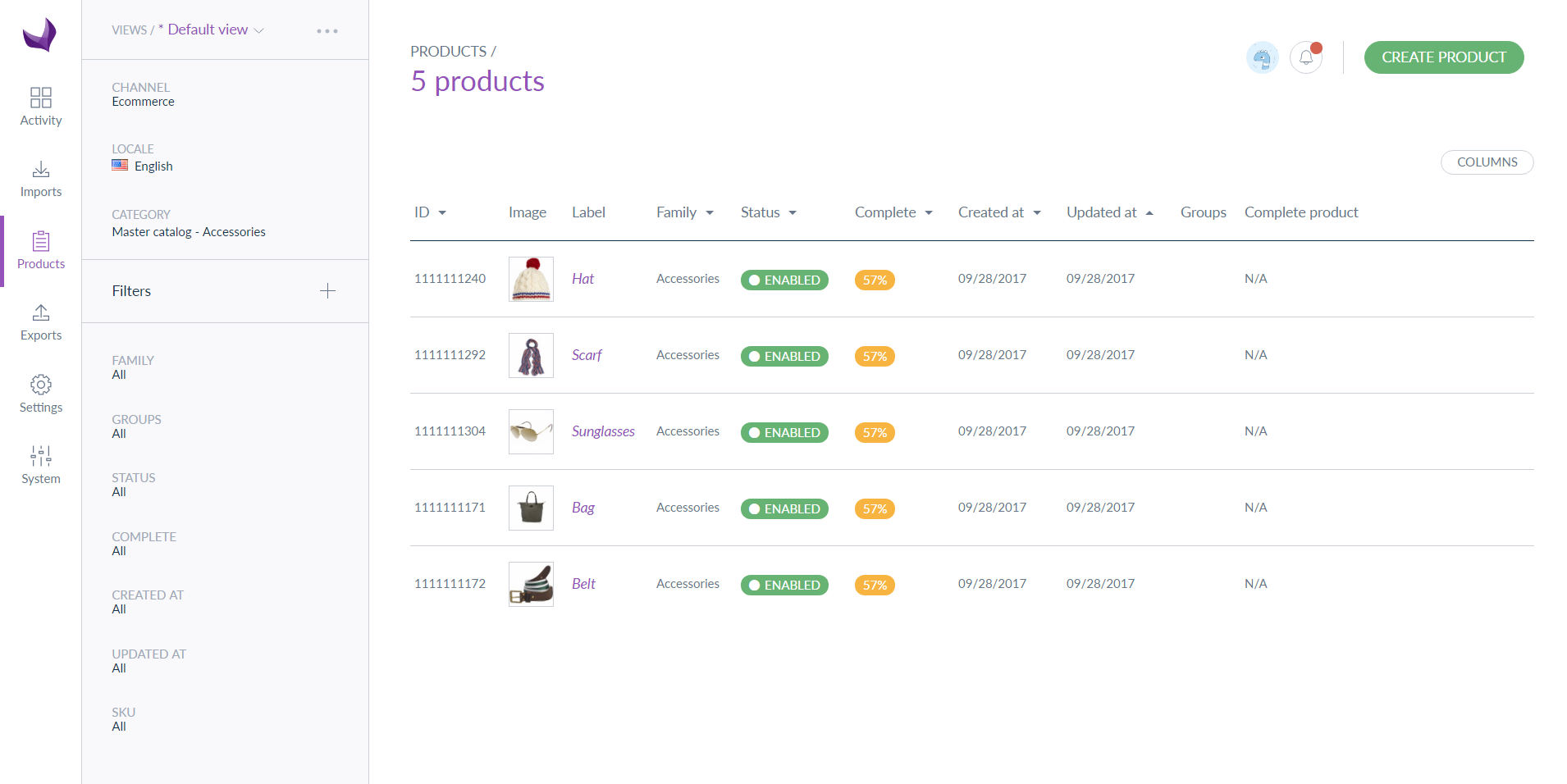
<<< New product grid featuring the vertical and collapsible side bar >>>
Design Inception
To inspire new ideas, we conduct innovation games between product owners, developer squads, and UX designers to identify problems and develop solutions. The innovation games are a series of brainstorming sessions where teams can bring in their own ideas, choose some from existing feedback, or select from the Idea Manager.
Creating a strong collaborative environment facilitates discussion between all teams so ideas are better integrated to work together, rather than being disparate features.
Initial Design
Our UX designers begin the initial design process by considering the core functionalities of PIM such as the product grid, navigation menus, product selection, family filters, and then ideas develop from there. Once new features are determined, the UX designer will:
Identify a problem to solve
Look for the norms/conventions
Apply business logic
Implement discussions between appropriate teams
Prototype the new feature
Validate the prototype with the lead product owner
Create a simple test prototype for validation
We know some prototypes will fail the test. Our goal is to prove usability, business value and productivity gains.
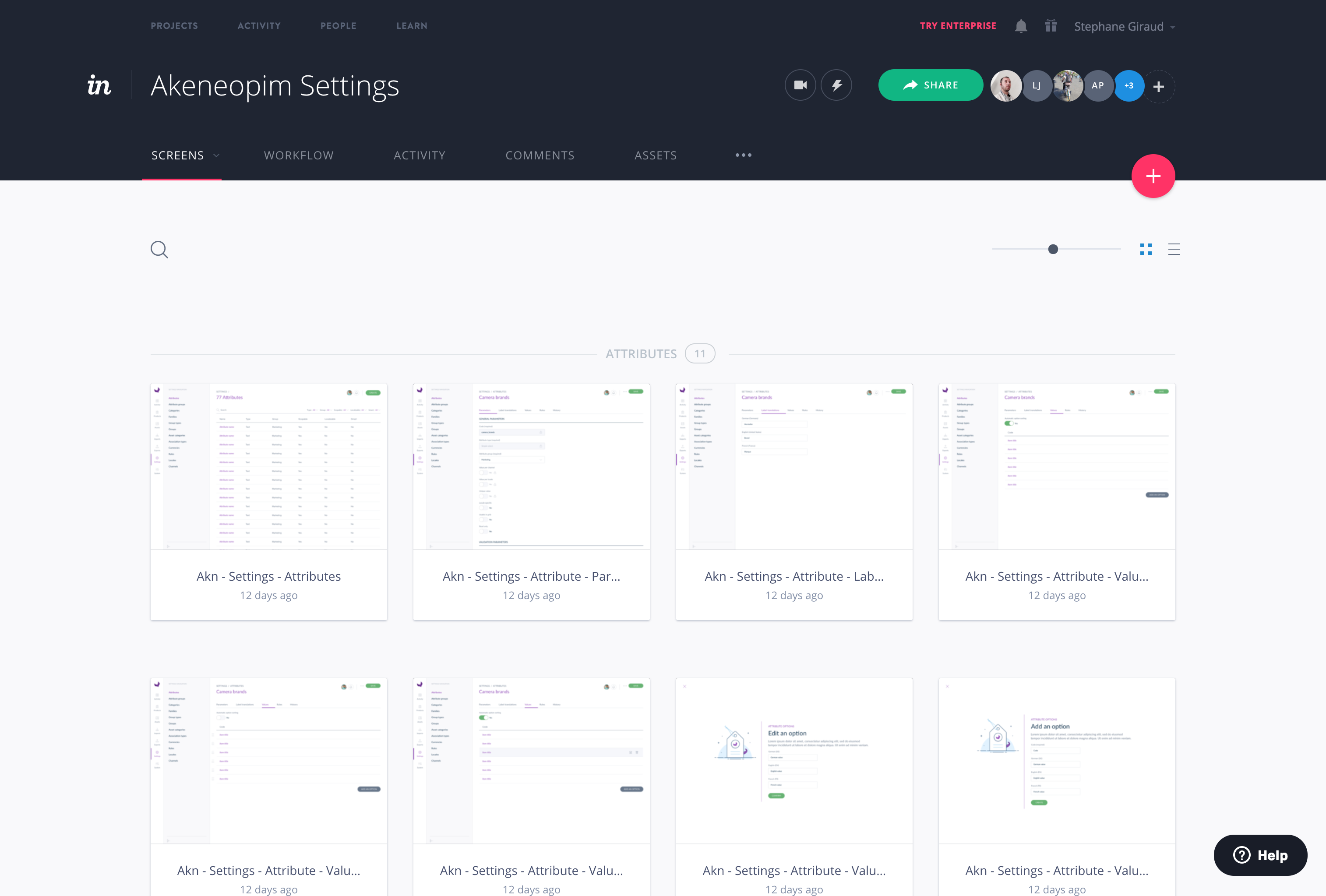
Example of an Invision prototype
Internal Testing
Once the initial prototype is created it moves to our internal testing process.We assess the prototype by having our own employees compare the functionality of the new feature with the old. We use the System Usability Scale (SUS) to objectively determine the usability.
Everyone who tests the feature rates it using our standardized form. Then the scores are averaged to determine the score of the new feature, which is then compared to the previous score. Initially, we test using internal employees who can apply a critical eye to new features. Anyone is welcome to test the new feature – except for the product team because they know all the insider tricks.
External Testing
Based on internal testing results, the product team will iterate multiple designs until they create something that can be presented to end users. Product owners and UX designers collect feedback and then reject or approve the new design.
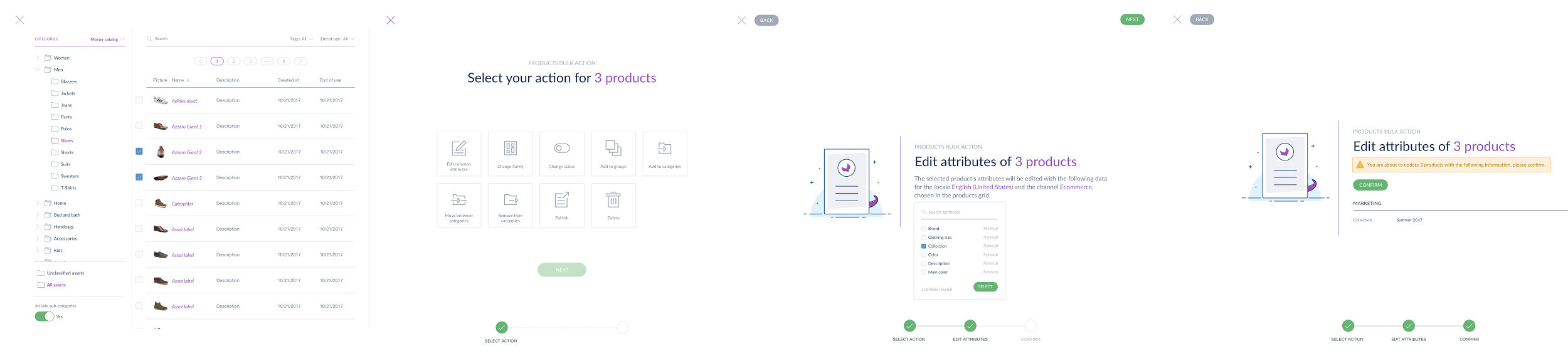
For example, Martine a project manager at a famous retailer, notified us, that it might be less risky to move the final confirm button in another area than the other buttons involved in the mass edit step by step workflow, and we did it. It’s a very simple improvement but all that improvements put all together make our UX better.
By the twist of fate, the same client can sometimes reject a feature he demanded by giving a lower score than the current feature or at the opposite give us very interesting tips.
So how did our UX design process impact Akeneo PIM 2.0?
Designers often feel tied to global logic and stuck in the UX stack that previous versions included, even if there is a way to do it better. They don’t want to freak out their users with a completely new design that makes them feel like all their previous experience using the product is obsolete. But at some point, that legacy UX becomes a prison.
So In Akeneo PIM 2.0 we have broken out of the constraints of our previous UX stack and completely refreshed the design and global logic behind the interface. The inception of this new UX began a year ago in September 2016. This revamping project was a huge undertaking that took six months of prep utilizing a full-time squad of developers and all product owners.
Of course, we remain focused on our main goal: creating an intuitive PIM solution that facilitates your daily tasks while increasing productivity. We hope you’ll find that Akeneo PIM 2.0 does just that.
Akeneo PIM 2.0 provides a completely refreshed and optimized user experience. Akeneo PIM 2.0 has always hoped to be simpler, lighter and more comfortable.
Migrating to new software can be a major headache for organizations. To avoid this problem, Akeneo created specific tools for our customers …
Migrating to new software can be a major headache for organizations. To avoid this problem, Akeneo created specific tools for our customers and partners to assure a smooth migration.
We focused on making the Migrating to Akeneo 2.0 easy! We promise. ☺
We understand that businesses may be cautious in migrating from Akeneo PIM 1.7 to Akeneo PIM 2.0. This new release is the most extensive update since our 1.0 launch in 2014. However, following our philosophy of keeping things simple, we’ve worked to ensure the transition will be smooth and straightforward.
Why upgrade to Akeneo PIM 2.0?
You can take advantage of the latest technologies while migrating to new software, and it must be done. We are continually making performance tweaks and enhancements to help you do your job better, and we want you to be able to take advantage of everything Akeneo PIM has to offer. For more information on the benefits of using Akeneo PIM 2.0, watch these videos.
Why a 2.0 and not a 1.8? It is indeed a major release, probably our most extensive. Is it due to a complete re-platforming. Not really! Simply, there is a logic starting a new cycle on the “round number” 2.0 (see our new release schedule for details). The new release schedule allows you to anticipate and plan for future migration projects and control your budget and workload more efficiently.
– One single storage with native Elastic Search
– A new data model to build complex product with native variations (read the series of blog posts on products with variant)
– Last but not least: an entirely new user interface
There is a “new technical stack” and we master it perfectly because we made it with the requirements given to us by our customers. And to be honest, we think it should be our responsibility to deal with this new stack, not yours. That’s the reason why we developed the Migration Assistant to help you in the adoption of Akeneo 2.0. We want it to be easy for you.
Migration Tool: Step-by-Step Assistant
To streamline migration, we designed the Migration Assistant. This assistant walks you through the migration process step-by-step. It records the following:
your product data, with or without variants
your catalog structure: families, categories, attributes…
your personal preferences so they can be implemented into your 2.0 setup.
Today, it’s a command line interface dedicated to developers. All our Community and Enterprise Edition members can download it for free from GitHub and install it on the instance that needs to be migrated.
The philosophy is to move your instance of Akeneo PIM 1.7.x to the new instance of Akeneo PIM 2.0, as a standalone that is fully operational and includes all your data and settings. To make it fully operational, we decided to not handle all your custom codes that need to be copy and test by your own.
The Migration Assistant guides you through the entire process step-by-step.
The Migration Assistant aka “Transporteo” features the migration from 1.7 to 2.0 including Variant Groups and the Inner Variation (not in the alpha version, stay tuned), and we encourage you to adopt it, as we will continue to invest in it for all future minor and major updates.
The Migration Assistant follows a separate release agenda than the Akeneo PIM core product, with one update every two weeks until its stabilization. Some features might not be available as of the launch of Akeneo PIM 2.0 but will be coming soon. We are actively collecting feedback from our clients and partners to enrich it. Please check its scope before starting your migration.
There is one limitation, with some third-party systems connecting to Akeneo, it won’t automatically reconnect the dots for them. Simply because the assistant cannot update the settings of an external engine.
Focus on product models
“Variant group” and “Inner Variation Bundle” no longer exist and are replaced by “Product Models” which are now native for all of you. We promise it’s the last major change on this key capability.
To make the transition easier, the Migration Assistant is designed to support in a variety of use cases. For example:
T-shirt based on size and colors
Screws based on diameter and length
Eyeglasses or chairs based on color
Mattress based on dimensions
Smartphones based on color and screen size
Beers or teas based on packaging
Fruits compotes based on flavor
….
Import/Export with third parties
In Akeneo PIM 2.0, we did not make any change in the structure of the import/export, nor on the catalog structure. All of your flows that fuel Akeneo PIM with families categories, attributes, and products without variation will continue to work. Nevertheless, there is an exception as permissions now apply, so just be careful with who can trigger the jobs today. Imports/Exports dedicated to the variant group and inner variation bundle are no longer supported and need to be reallocated to the new business logic.
We now apply user permissions on classical imports and exports
API
New and improved tools facilitate and accelerate the migration and integration with other third-party solution such as:
advanced developers can rely on the Swagger’s framework
In Akeneo PIM 1.7, the scope of the API was limited to the Community Edition features, now it’s open to all features including the Enterprise Edition such as published products or approval.
All your connectors that rely on the API will continue to work.
From now on the recommended way to develop connectors and the only way to develop them for the Serenity offer #stability
<<< already in the 1.7 vs new in the API >>>
What about Serenity Mode?
For all of our customers who have chosen Akeneo Enterprise Edition in Serenity mode – you have nothing to worry about! All updates and migrations will occur automatically, both for Akeneo 2.0 and all future versions.
We invested a lot of time and energy so you don’t have to.
Still using Akeneo 1.5 or 1.6?
To take advantage of the step-by-step Migration Tool, you’ll need to first update to Akeneo 1.7. Don’t worry, we have an easy-to-use guide so you can update before the big Akeneo 2.0 migration!
Want to learn more about Akeneo PIM? Ready to purchase Akeneo 2.0?
Take a look at some of our blog posts or contact us to be put in touch with a sales representative.
At Akeneo, we believe in onboarding our end-users using a pragmatic approach. As we mentioned in part #1 of our UX design blog series, our design phil…
At Akeneo, we believe in onboarding our end-users using a pragmatic approach. As we mentioned in part #1 of our UX design blog series, our design philosophy boils down to a commitment to creating a simple, intuitive and friendly interface that enables users to go about their daily tasks in a more productive way.
We need to accommodate a range of diverse personas from 20 to 65 years old, including the day-to-day user, managers who want to report, and IT and admin staff that need to customize and maintain the software.
<<< Stéphane Giraud, Lead UX Designer prototyping >>>
What makes us different?
We design the UX with the mindset that it will be used by many different people across a wide range of roles and responsibilities. We are committed to avoiding a design that looks fancy but is hard to use. Instead, we take our time to create a simple interface that is intuitive and efficient to use.So how do we do this? Well…
We take our customer feedback seriously.
Customers are struggling to match applications to the speed of their business demands. And one of their most significant challenges is becoming “stuck” within their day-to-day needs and not having the right technology to help ease this paralysis.
Because of this customer concern, we scaled our implementation strategy to regularly implement our customer feedback into real product changes and solutions, and the very first step was setting up a framework to support this feedback.
One example of this is how Akeneo approaches our release schedule. To date, Akeneo has had a remarkably stable release schedule. However, we have decided to change it to gain in reactivity and flexibility – and to continue to address our customer needs. Moving forward, we will issue a major launch every September with minor releases in December, March, and June.
Collecting Great Feedback
From a UX Design Perspective, we’ve found that product feedback surveys where respondents choose from a pick-list of limited options do not deliver an accurate understanding of what our customers need. The extent of PIM user needs can’t be reduced to yes/no or rating questions from 1-10. Instead, when we focus on the business challenge that our customers are trying to solve, we can create a better solution that aligns to overall goals. We then reconcile this input. And this is simply what we did to build the new UX in 2.0. Our customers told us that wanted a more simple and intuitive user experience – and that is what we delivered.
For example, our customers were consistently asking for a decent Project Management Tool feature. It was an acute need for many clients. The knee-jerk reaction was to quickly implement a classic Project Management Tool on top of Akeneo PIM. There are many solutions available on the market, and the implementation would have been swift and easy. But it struck a chord with us! Why should we ask our end users to be stuck in project management when they should be focused on their core business: the process of Product Enrichment. Thus we entered a design cycle, and the Teamwork Assistant was born.
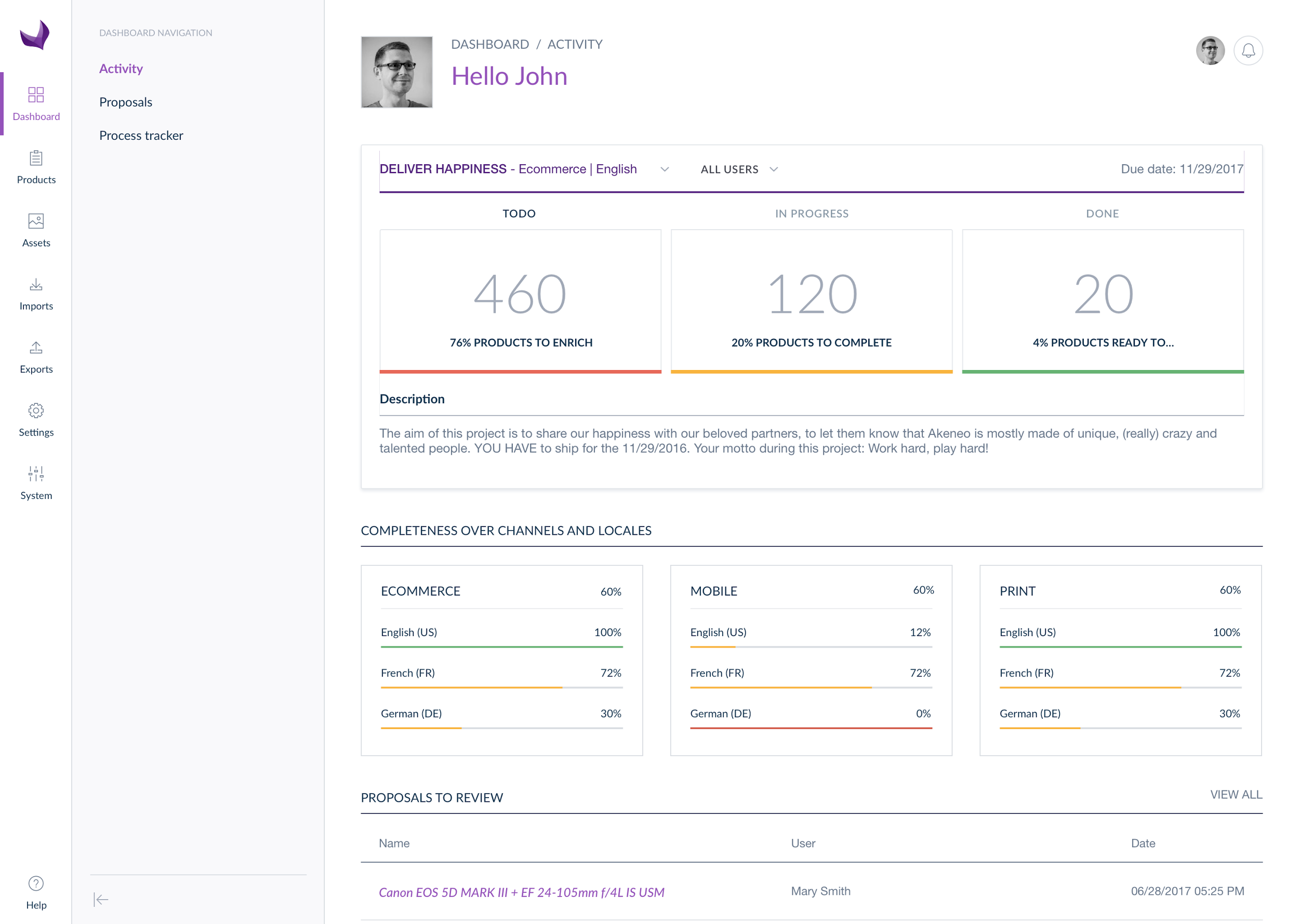
<<< new Dashboard reporting the Teamwork Assistant >>>
Our customers explained the challenge they wanted to solve… but it was still up to us to figure out how to interpret the problem and find a workflow solution that felt intuitive and efficient.
The first step of any UX design strategy is to build the right framework or process to facilitate the use of great feedback and resist the temptation in choosing the easiest solution.
Idea Manager
We maintain a list of all the ideas generated by our end users. Every idea is recorded, whether it was produced in a feedback interview, or shadowing session, by a salesperson talking to a potential buyer, or from the help desk personnel talking to an active user.
Each product owner tracks the implementation status of new ideas. We also monitor where the ideas come from so product owners can go back to the user to investigate and flesh out the suggestion or conduct an additional study to assess similar needs with other users.
When the same idea is requested by multiple sources, we track that too. If a lot of users have the same suggestion, and it is proved there is a business value, it then becomes prioritized and moved into the product roadmap. If an idea is not PIM centric, it isn’t ignored, but instead, it is submitted to the marketplace team to be built outside of the core product as an integration or extension.
23% of all ideas shared since the beginning of Akeneo PIM has been implemented. We don’t collect customer feedback just to make our customers feel like we are listening to them; we actively implement their ideas into new product features.
Customer Interviews and Visits
Each product owner conducts two to three interviews every month with current clients regarding specific features, and the team leads one face to face visit each month. In the past, we have conducted feedback interviews on topics like dashboards, modeling complex products, media management, etc. The only requirement for end users to participate in the interview process is that they have been using Akeneo PIM long enough to understand the primary functionality. These interviews stir up new ideas, establish a cycle and multiply the value of the direct connection with our clients or markets.
Each product owner conducts 2-3 client interviews per month challenging a specific value proposition.
Shadow Sessions
Interviews are great, but sometimes users don’t even know what changes they need to make operations run more smoothly. Every organization wants to optimize for productivity/collaboration, but users may not precisely know what features or additional functionality they need to make it happen. This is why we host “shadowing” workshops.
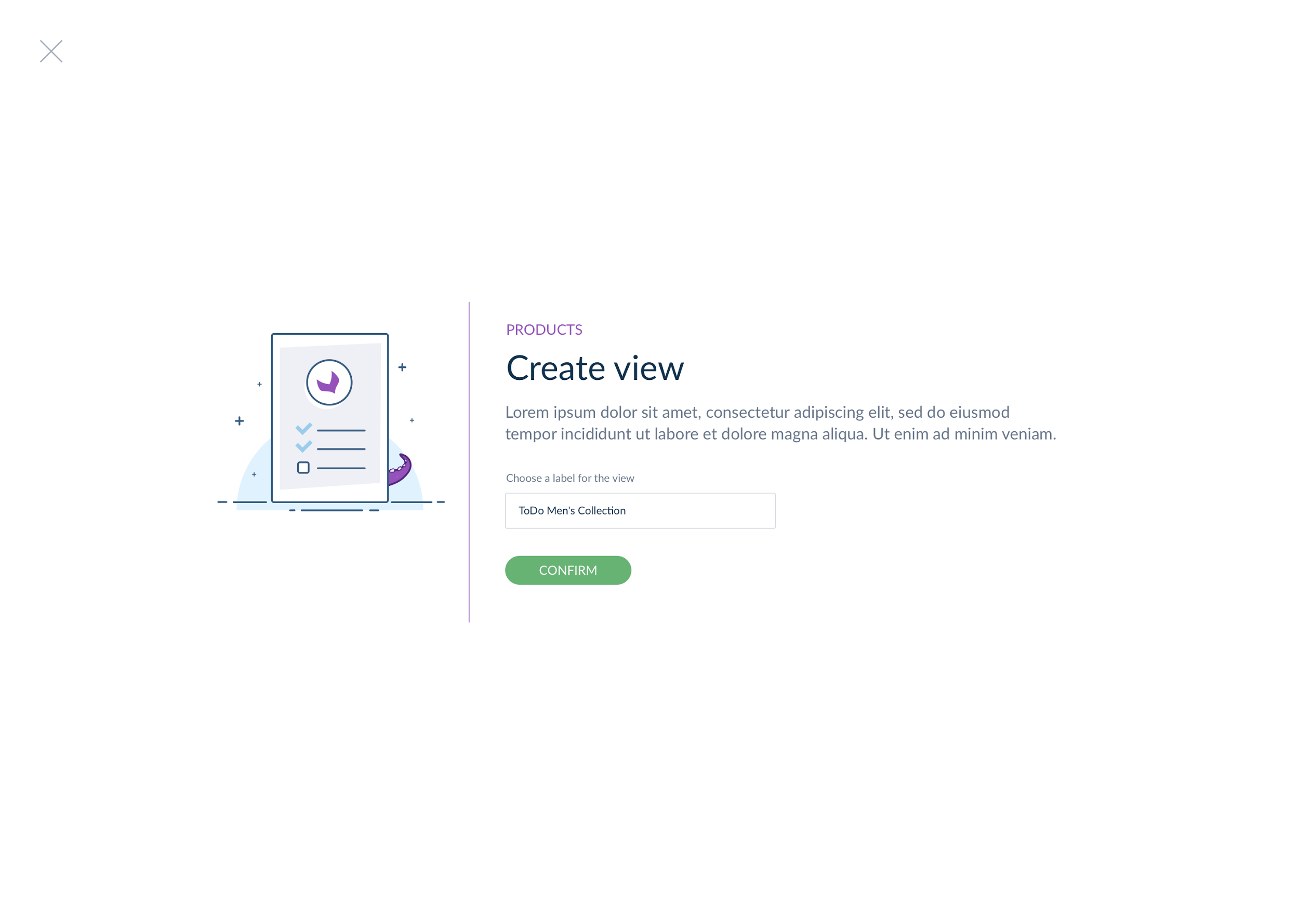
For example, workshops enabled us to detect that setting up one view required a user to complete 3-4 tasks. In the new release 2.0, 3-4 tasks are still needed but now are grouped into one unique location instead of being distributed across multiple locations. Testers reported a better performance score compared to the previous feature.
<<< New step by step workflow to set up a view >>>
We work with our clients to observe how end users interact with Akeneo PIM and take note of how users navigate the system, which tasks most impact productivity and to detect where time is wasted. Because of this, we can understand where UX improvements need to be made, and whether or not the users realize the impact that specific optimizations could have on their workflow.
Up next is Part 3 in the UX Design series. After conducting a dedicated roundtable with many stakeholders, learn about how we implement customer feedback into real product changes.
When using a software product or website, many people don’t consider everything that has gone into creating their experience. Users have expectation…
When using a software product or website, many people don’t consider everything that has gone into creating their experience. Users have expectations of how things should work and organizations must make sure they meet these expectations. Users expect to be able to click on menus, fill out forms, or perform other actions and simply have certain functionalities work. In reality, every part of the user experience (UX) is, or at least should be, thoroughly thought out and designed.
Picture Stéphane Giraud, Lead UX Designer and Nolwenn Poirier, Product Owner
User Experience (UX) is the heart of Akeneo PIM
Akeneo PIM is UX driven. Our ultimate goal is to create an easy-to-use product information management (PIM) system with all the functionalities and features to serve a wide range of end users. We talked with Stéphane Giraud, Lead UX Designer, and Nolwenn Poirier, Product Owner, to discuss the origins of UX design and how that influences our philosophy at Akeneo.
The History of UX Design
UX Design is a buzzword in many software companies. It has been focused on and celebrated by the major tech organizations of the world – Google, Apple, Facebook, Amazon, and Microsoft (GAFAM). Prompted by GAFAM, the “Mobile First” and “Ease of Use” philosophies emerged around 2010 and remain major components for UX design strategies today.
While UX design has been increasingly trendy since 2010, its roots actually began for over 40 years. Today, UX design is considered a science. One of the largest proponents is the Nielsen Norman Group, created by Donald Norman and Jakob Nielsen in 1998. The group has published numerous studies on a variety of UX topics including managing forms for usability, navigation menus, eye tracking, and more. Today their philosophies are still taught in school and incorporated into UX designs.
What makes a good user experience?
Do not Market Your Design
For any software company, it is important to get end users interested in your solution early on at the pre-sales stage. These individuals will ultimately be the people who interact with your solution on a regular basis and are some of the key players in the decision-making process. Fortunately, or unfortunately, their impressions sometimes rely on non-objective criteria, like their personal feelings towards pre-determined workflows or other features.
Software companies often feel a strong temptation to deliver what the end users think they want. Although understanding and considering what your users want is important, we believe it is the job of the UX designer to figure out what types of changes and features the users actually need.
It’s the job of the UX Designer to understand the customer needs that may be hidden in the shadows.
Pay Attention to Trends
Web technologies are moving at lightning-fast speeds and GAFAM regularly proposes (or rather imposes) their own rules which can dictate what defines the “best” user experience. They want to set these user experience standards because:
A consumer who adopts your codes and conventions can remain captive in keeping and maintaining your technology for years.
It’s another way to stay ahead of the competition: if these organizations rewrite the rules they can set the pace, thereby forcing other organizations to either copy them or step up their game.
Think about many recent UX/UI design trends: Skeuomorphic, Flat, Metro, Fluent… these were all introduced, discarded, and/or forced onto consumers by GAFAM.
It can be hard to escape. When managing a website or eCommerce platform, there is often a strong desire to innovate with great design, style, or unique content in an effort to attract new customers. In fact, it’s common for eCommerce companies to drastically refresh their website design every 3-5 years to look “current” and implement the latest SEO techniques and mobile requirements. However, that innovation is limited on practical level by UX conventions that consumers can understand.
For a software company like Akeneo, it can be challenging to integrate an easy-to-use interface with the required business logic components. Unlike an eCommerce website, many of the concepts we need users to understand at glance have not been established by GAFAM… or anyone else.
So what are the secret ingredients to creating a great user experience?
In the past, KPIs for UX were limited. Some organizations tried to equate clicks or time spent on a page with good or bad design. Today, user interface (UI) technologies, primarily performance and fluidity, have significantly improved. KPIs can be measured more confidently and rely on cloud technologies that can more accurately measure meaningful performance and interaction metrics.
But even with advanced technology, you can’t reduce UX to just clicks.
At Akeneo we have an established UX philosophy. We believe that the user experience must:
be simple
save users time when enriching product data
have features and wording that is obvious and relevant
be friendly
We believe that simplicity is a strong driving factor in the adoption of new technologies and can help you quickly shape your skills while:
Reducing overhead
Boosting performance and productivity
Accelerating participation across functional teams to improve product information
Allowing you to focus on your core business and increase sales
Because Akeneo PIM is one unique application, the relationship between UX design and business logic is simpler and more consistent.
Interested in seeing a great UX?
The only way to determine what makes one UX better than another, is to dive in yourself and understand how the underlying functionality and UX interact.
That’s why we offer our community edition for free.
It doesn’t make sense for us to try to convince you how great our UX is if you can’t even explore it on your own.
You can’t assess a UX based on facts and figures or by just looking at pretty screenshots. You have to USE it.
To truly evaluate the UX of Akeneo PIM compared to other solutions we suggest that you:
Create two or three business use cases
Identify and profile the key users within your organization that will use Akeneo PIM on a daily basis
Build an assessment grid for those users to grade each product
 Summer Release